

Team and roles
Give each colleague their own sign-in. Their role says what they can do, and you choose the clients they work on. Changes to clients, employees and payroll runs appear in Activity.
Roles
| Role | Can |
|---|---|
| Owner | Everything, including the licence and billing. Can reset any password. |
| Administrator | All clients and the team: add people, change roles, reset passwords (not an owner's). |
| Payroll operator | Run payroll for the clients chosen for them: employees, RPNs, hours, calculation, payslips, bank file, Revenue. |
| Viewer | Read only, for the clients chosen for them. Good for an auditor or a trainee. |
Add a person
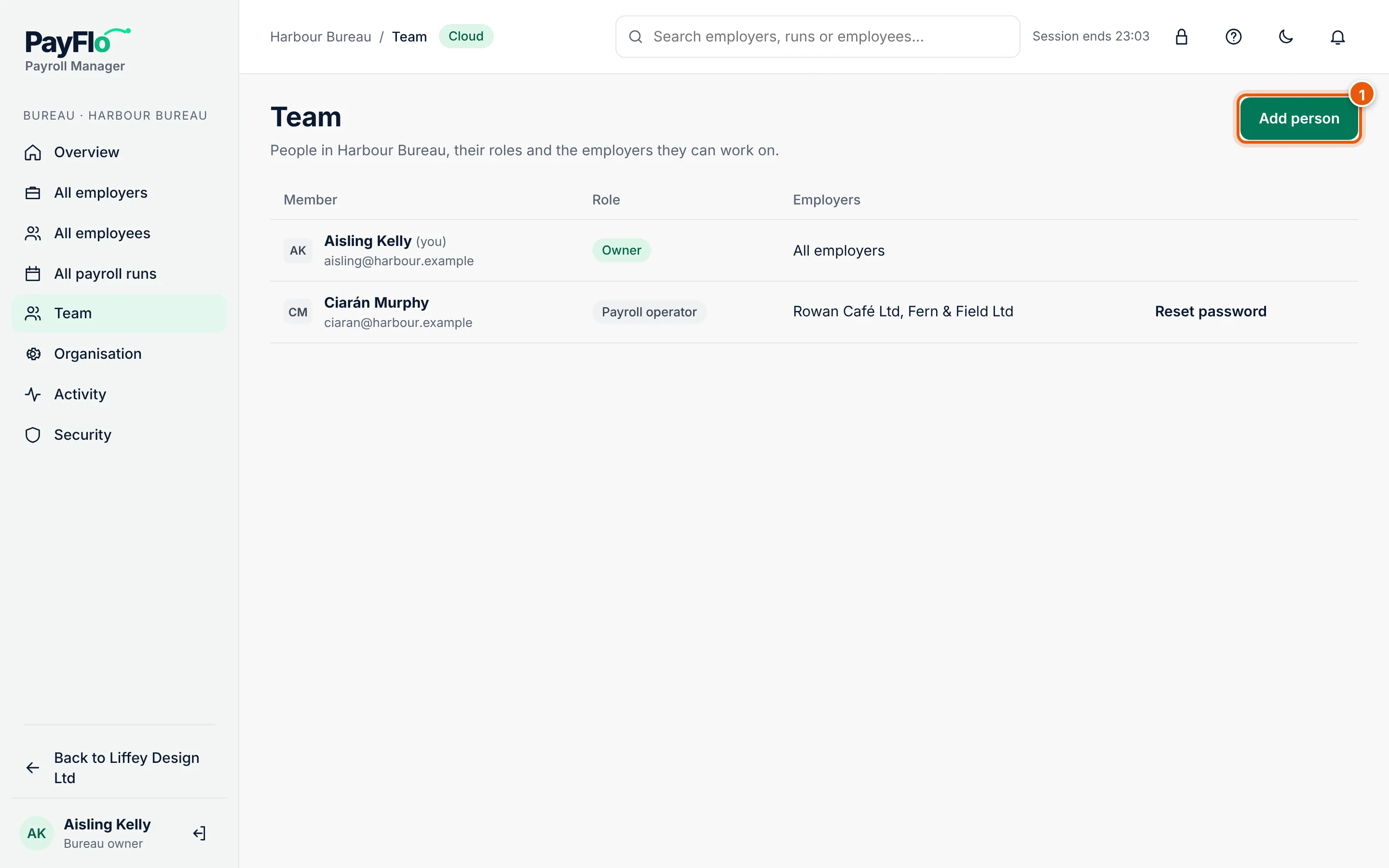
Choose Bureau in the employer switcher, then Team.
Choose Add person (1).
Enter the Name and Email.
Choose a Role.
For a payroll operator or viewer, tick the clients under Employers they can work on. Owners and administrators always see all clients.
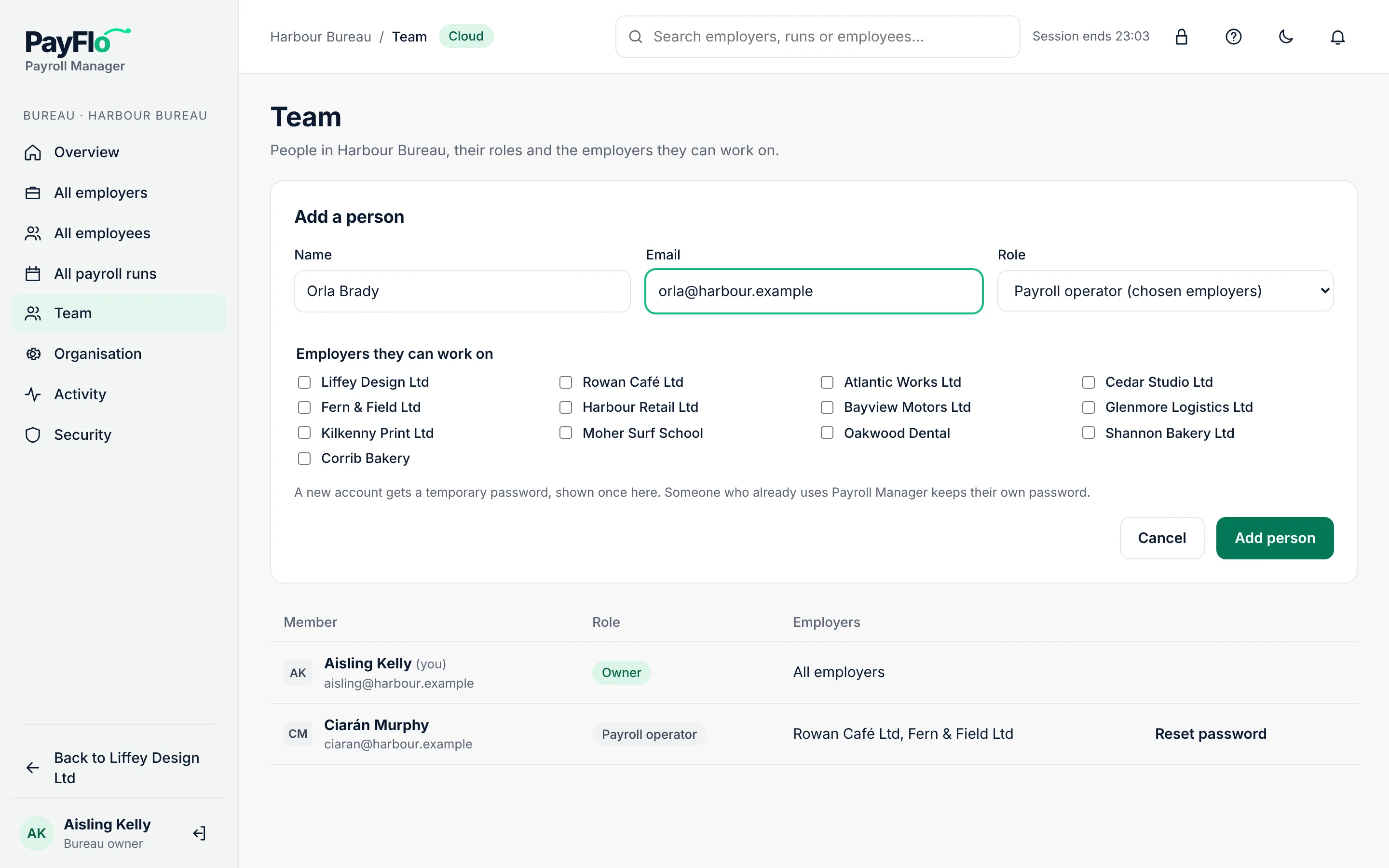
Choose Add person.
Someone new to Payroll Manager gets a temporary password, shown once. Copy it, choose I have saved it, and give it to your colleague in person or by phone, not in the same email as the address. They change it the first time they sign in.
Someone who already uses Payroll Manager keeps their own password and sees your bureau the next time they sign in.
Reset a password
If a colleague forgets their password, choose Reset password next to their name. Cloud shows a new temporary password once; give it to them the same way as above.
- An administrator can reset anyone's password except an owner's.
- Only an owner can reset another owner's password.
- Your own password is changed under Security.
- If the person also works for another organisation in Payroll Manager, you can't reset it; they use Forgot your password? on the sign-in page.
Colleagues can also use Forgot your password? on the sign-in page. See Sign in and security.
Change a role or remove someone
Related
- Sign in and security
- Bureau overview
- Set up the Employer app for a client: your clients' own people are added there, not here