

MyFutureFund
MyFutureFund is Ireland's auto-enrolment retirement savings scheme, run by NAERSA. For each enrolled employee, payroll deducts the employee's contribution, adds the employer's contribution, and sends both to NAERSA after each payroll. The State adds a top-up.
It is separate from Revenue: enrolment comes from an AEPN file (Auto-Enrolment Payroll Notification), and contributions go to NAERSA, not in the PSR.
Open a client and choose MyFutureFund in the menu.
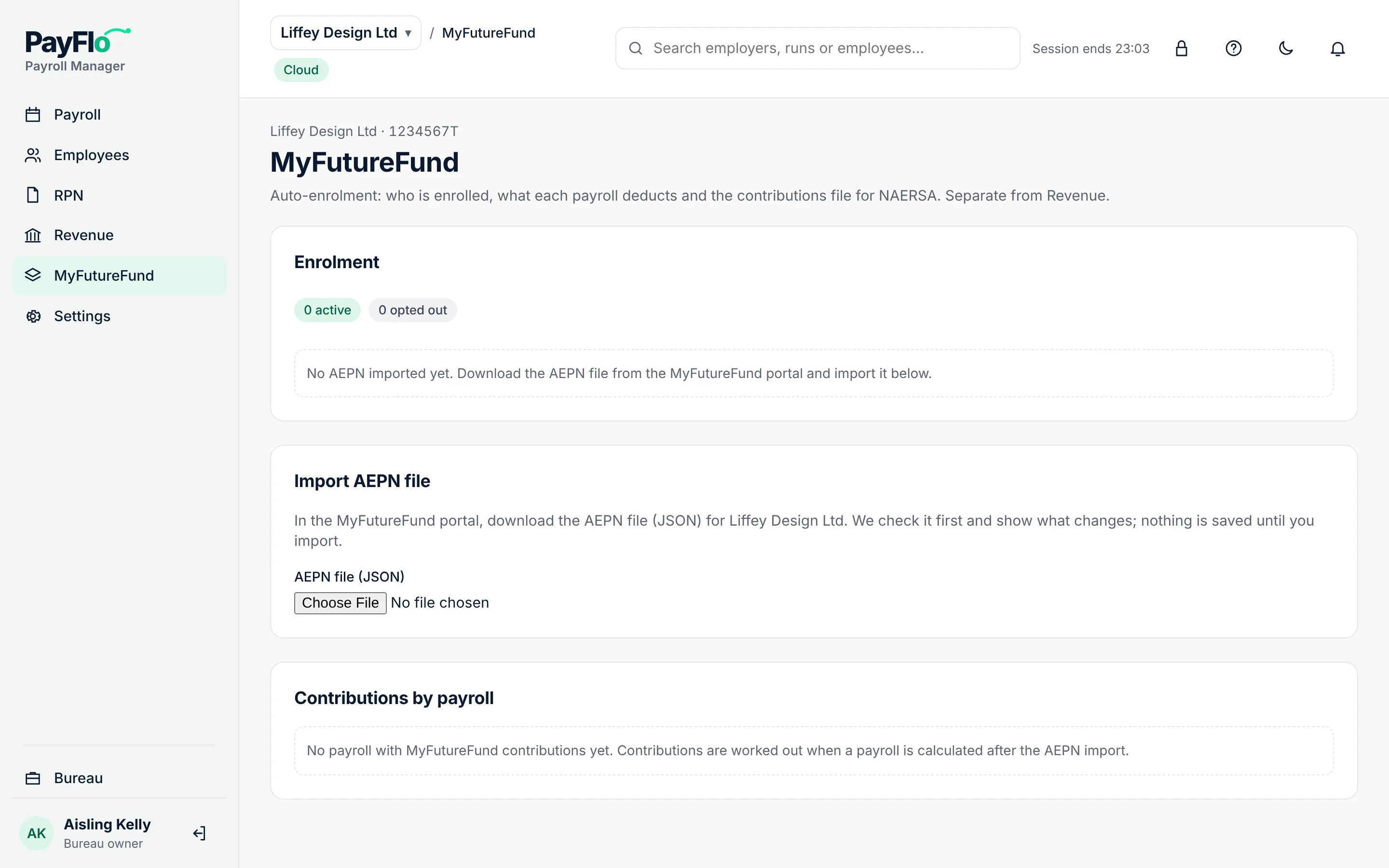
Import the AEPN file
- In the MyFutureFund portal, download the AEPN file for the client as JSON (all batches).
- In Payroll Manager, under Import AEPN file, choose the file under AEPN file (JSON).
- Check the result. Nothing is saved yet.
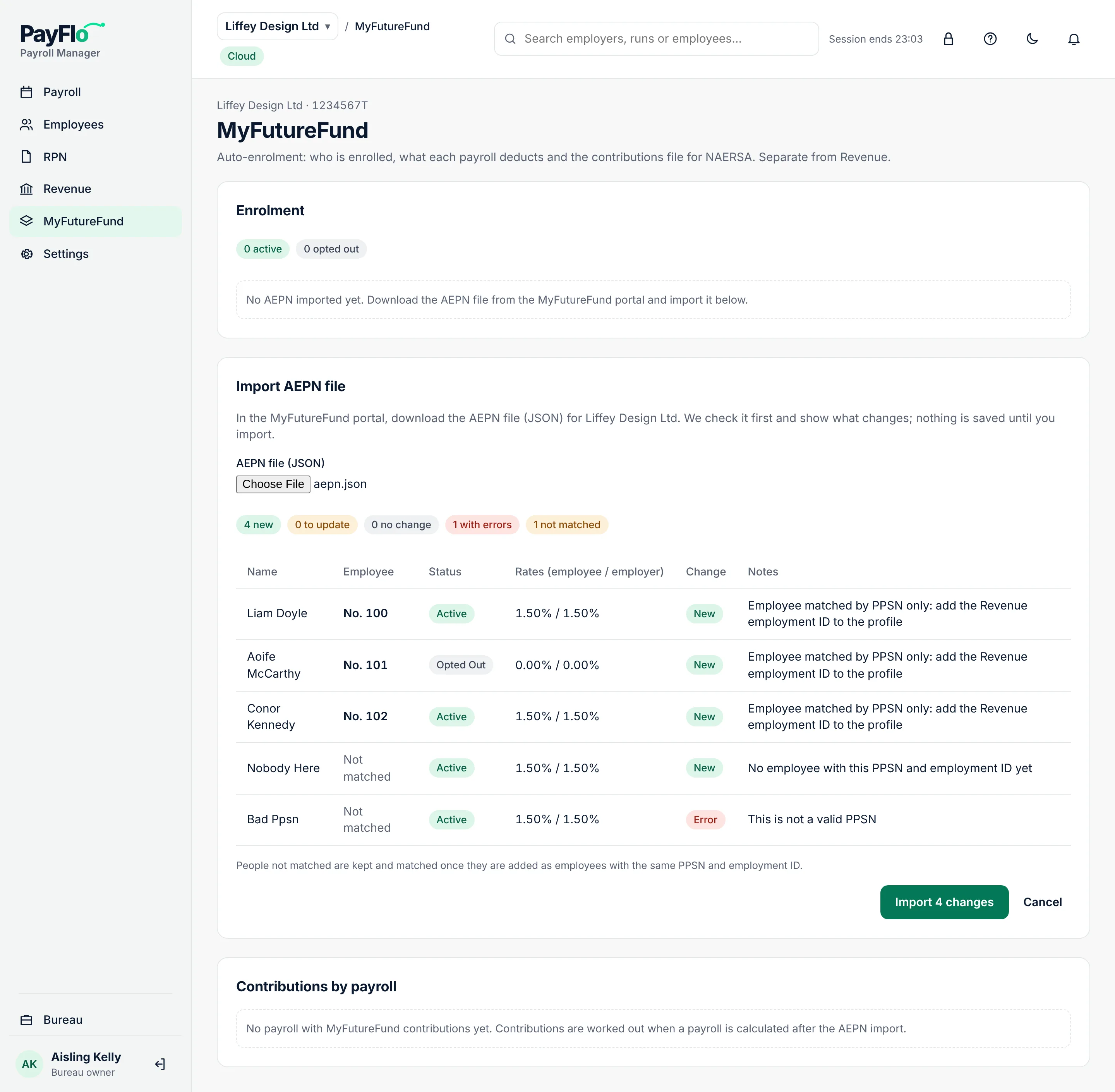
For each person you see the Employee they were matched to, the Status (Active, Opted Out, …), the Rates (employee / employer), the Change (New, Update, No change, Older, ignored, Error) and Notes.
- People are matched by PPSN and employment ID. "Employee matched by PPSN only: add the Revenue employment ID to the profile" means the match is right but the profile lacks the employment ID.
- Not matched: nobody on your list has this PPSN yet. They are kept and matched once you add them as employees.
- Error: for example "This is not a valid PPSN". The row is not imported.
- Choose Import N changes.
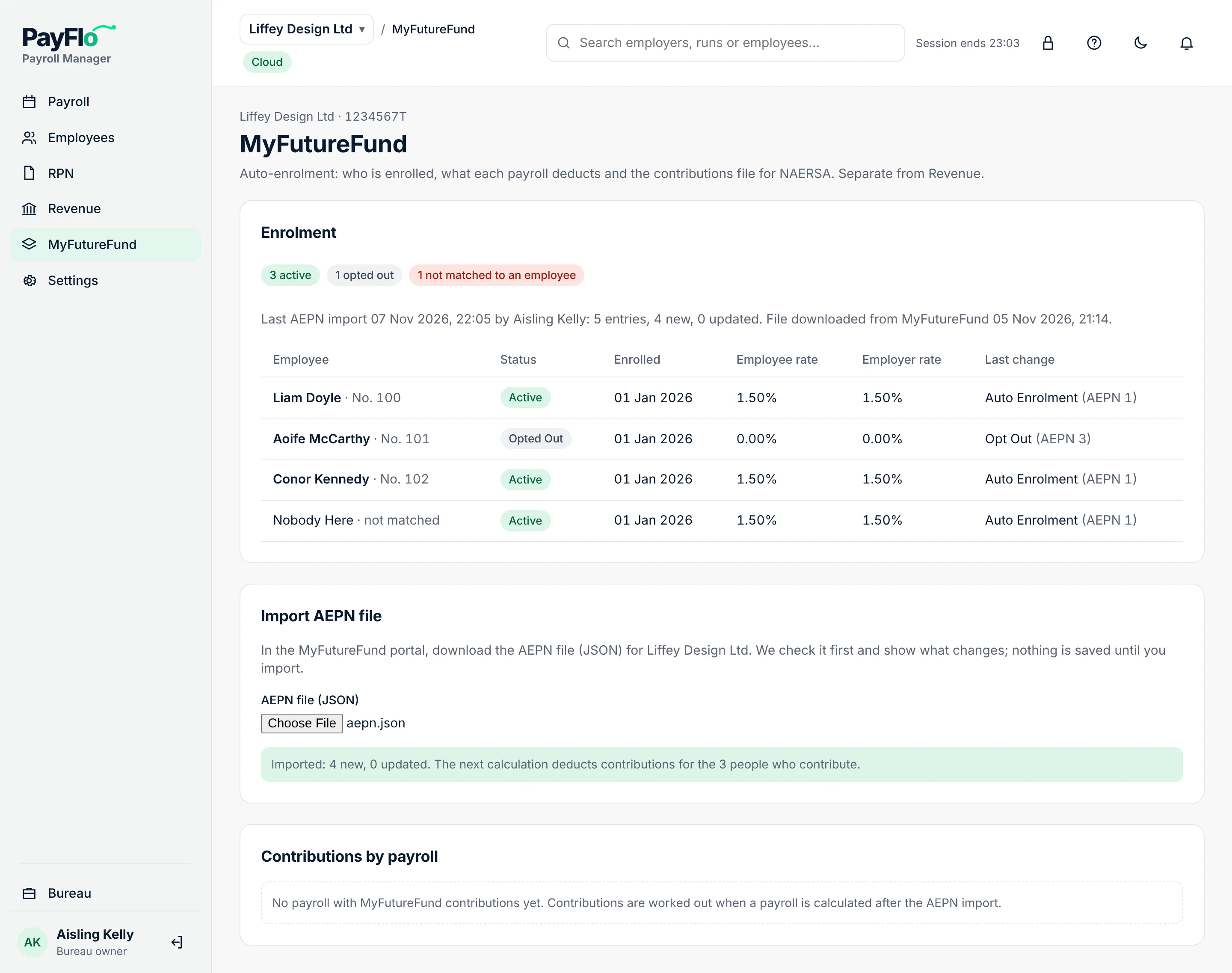
Enrolment now shows how many are active and opted out, with each person's enrolment date, rates and last change.
Contributions in payroll
Nothing extra to do: when you calculate a payroll after the AEPN import, the payslip lines get two more columns, MyFutureFund (employee) and MyFutureFund (employer), and the payslips show the deduction.
Contributions by payroll on the MyFutureFund page lists each payroll with the number of people, the employee and employer contributions, the amount to pay NAERSA, the State top-up, the file and its status.
Prepare the contributions file
After the payroll is approved:
- Open the payroll run.
- Under Bank file, Revenue and MyFutureFund, choose Prepare contributions.
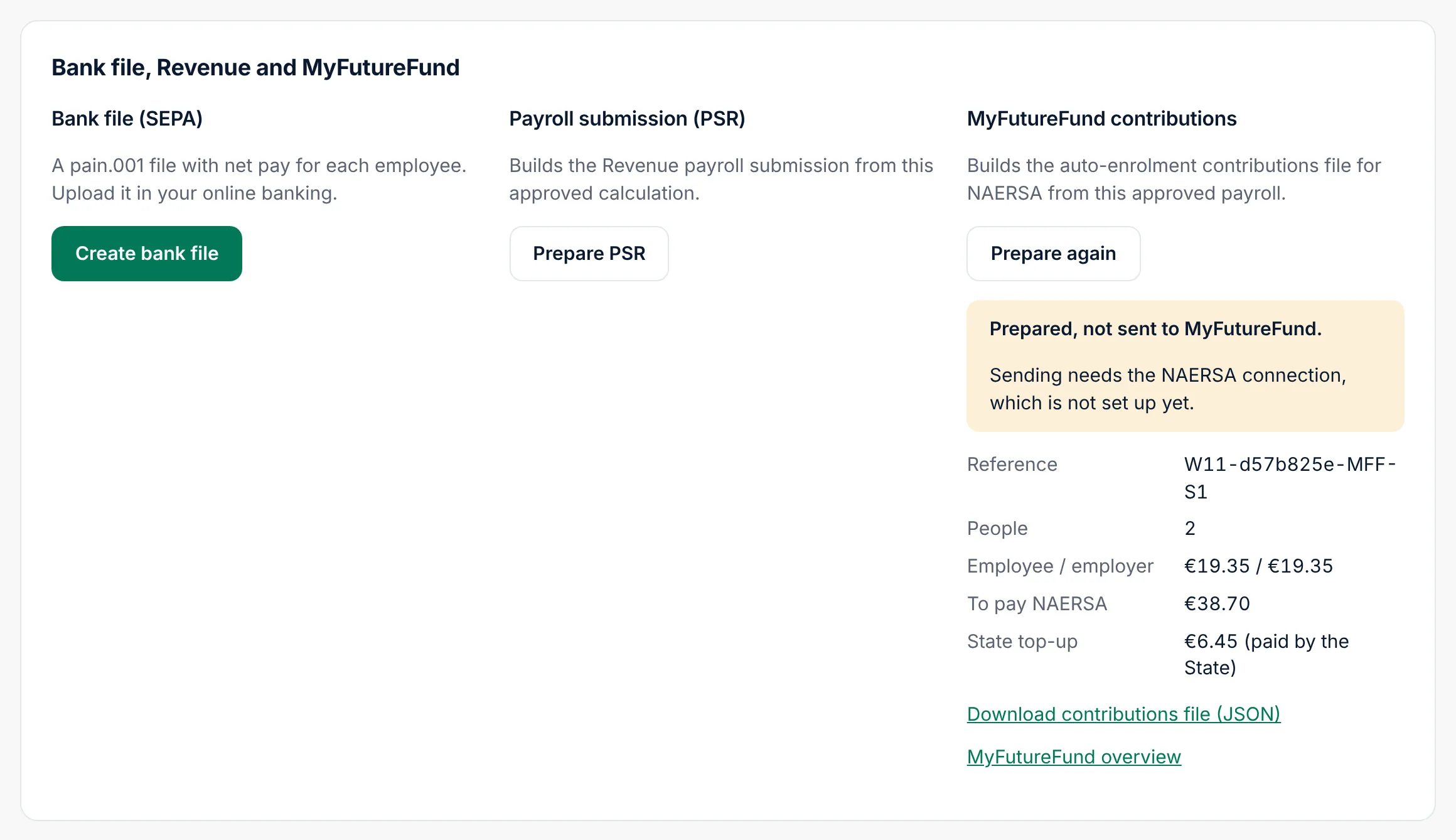
Cloud shows the Reference, the number of People, Employee / employer contributions, the amount To pay NAERSA and the State top-up (paid by the State). Download contributions file (JSON) saves it.
If Cloud says "Nobody in this payroll pays MyFutureFund contributions", the AEPN was imported after the calculation: revoke the approval, recalculate and approve again.
Related
- Run a payroll
- Glossary: AEPN, NAERSA