

Export and import data
A package (a .ppmx file) holds employers, employees, period inputs and finalised payrolls. Use it to:
- move a client from Payroll Manager Desktop to Cloud, or back;
- keep your own copy of your data;
- give a client its data when it leaves your bureau.
Both are under Bureau › Organisation › Data. Only owners and administrators can export or import.
Export
Choose Bureau in the employer switcher, then Organisation, and scroll to Data.
Under What to export, choose Whole organisation or one client.
Tick Protect the package with a password (recommended), then enter the Package password twice. Use at least 8 characters.
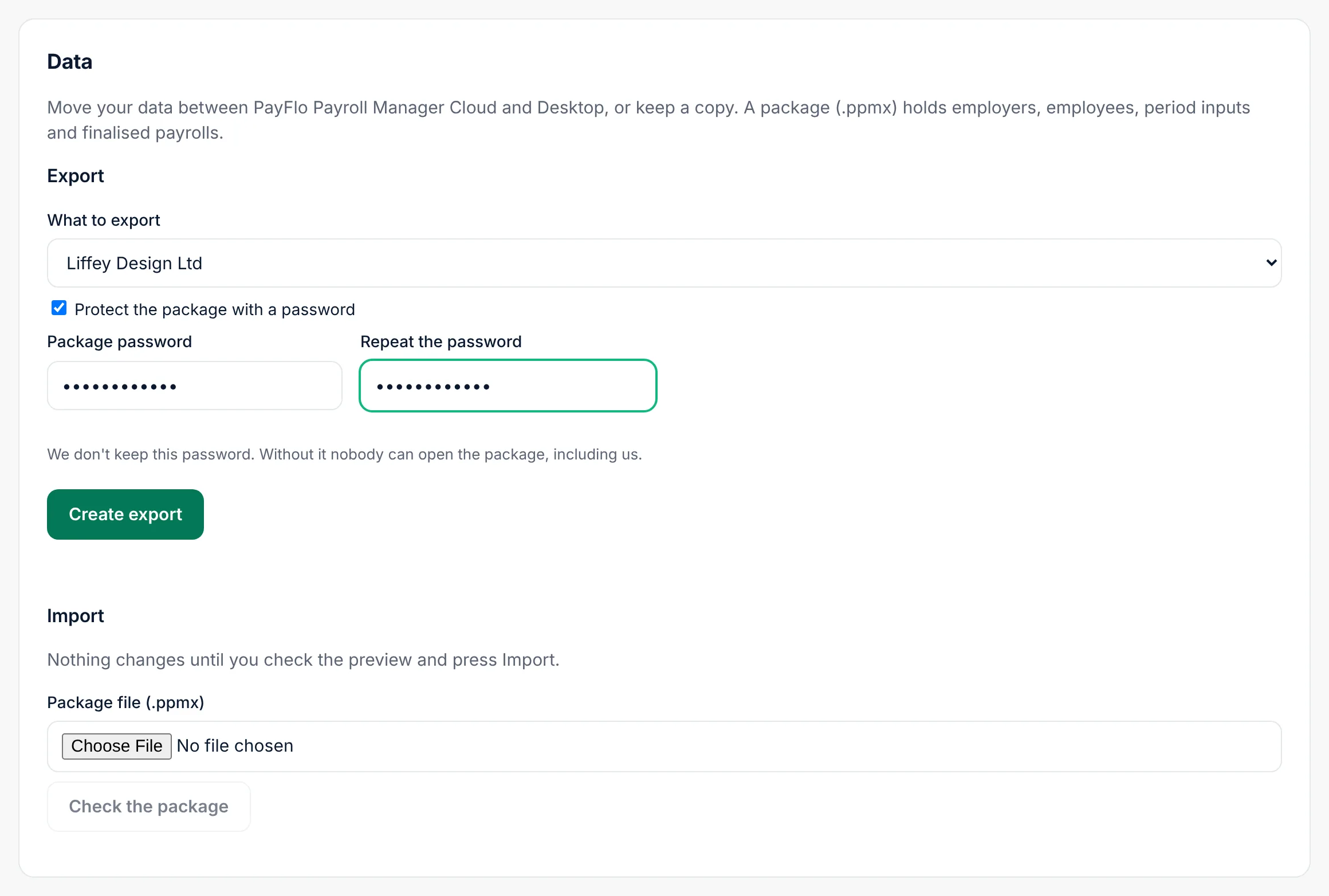
Choose Create export.
Enter your own password (or use your passkey) to confirm it's you.
The export appears in the list below with Status Preparing, then Ready. Choose Download. A ready package can be downloaded until the time shown under it; after that its status is Expired and you make a new one.
The package holds PPSNs, bank accounts and pay. Keep it as safely as any payroll record and delete copies you no longer need.
Import
Nothing changes until you have checked a preview and confirmed it.
- Under Import, choose the Package file (.ppmx).
- If the package is protected, enter its Package password.
- Choose Check the package.
- Read the Import preview. For each employer and employee it shows what will happen:
- Add: new in Cloud;
- Update: already here, the package has newer details;
- Skip: nothing to change. Skipped rows are hidden; Show skipped lists them.
- Choose Import N changes and confirm with your password.
Cloud shows what it did, for example Imported: 1 added, 1 updated, 0 skipped.
The preview is valid for 24 hours. After that, upload the package again.
If you see …
| Message | What to do |
|---|---|
| This file is not a PayFlo Payroll Manager package (.ppmx). | Choose the .ppmx file made by Export, not a CSV or a ZIP you made yourself. |
| This package is protected with a password. / The package password is not correct. | Enter the password set when the package was made. |
| This package was made by a newer version of PayFlo Payroll Manager. Update first. | The package comes from a newer version of Desktop. Update the copy you import into (Desktop: Updates), then try again. |
| Your licence employer limit would be exceeded. | Import fewer clients, archive some, or move to a larger plan. See Organisation and licence. |
| This import was already applied. | Nothing to do; the data is already here. |
| The preview expired after 24 hours. | Upload the package again. |
Desktop
In Payroll Manager Desktop the same packages are made and read under Data. See the Desktop help.
Related
- Organisation and licence
- Import employees from a CSV file: for data from other payroll software