

Organisation and licence
The Organisation page shows your bureau's details, your licence and the tax rules Cloud calculates with. It is also where you make API keys and export or import data.
Choose Bureau in the employer switcher, then Organisation.
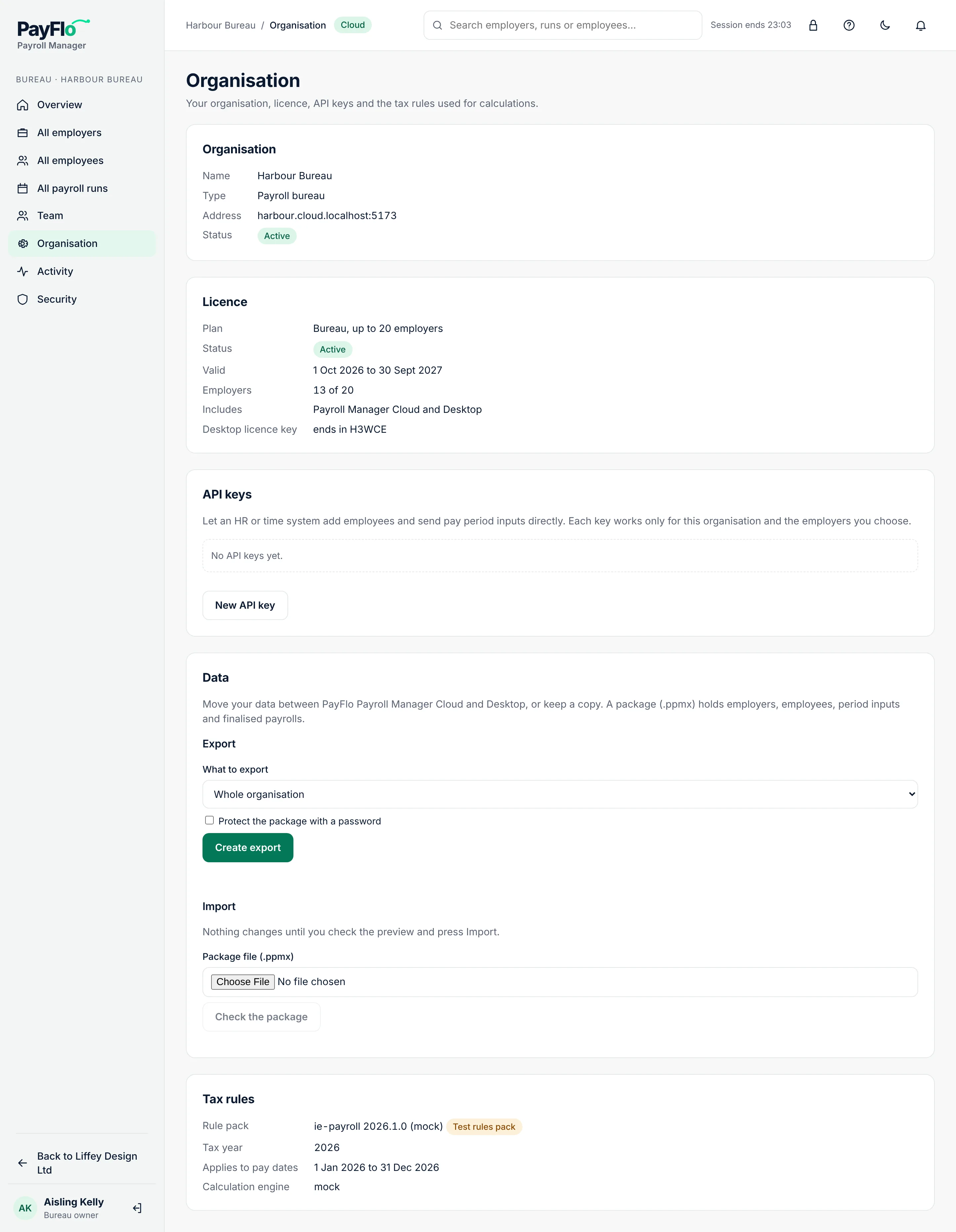
Organisation
Name, Type (Payroll bureau), Address (your Cloud address, for example harbour.cloud.payflo.ie) and Status. Your clients sign in to the Employer app on the same address.
Licence
Only owners and administrators see this part.
| Field | Meaning |
|---|---|
| Plan | Employer (one company), or Bureau, up to 5 / 20 / 50 employers, or Bureau, unlimited employers |
| Status | Active, or expired or revoked |
| Valid | A licence runs for a year, for example 1 Oct 2026 to 30 Sept 2027 |
| Employers | Active clients against the plan, for example 13 of 20. Archived clients don't count. |
| Includes | Payroll Manager Cloud and Desktop: one licence covers both |
| Desktop licence key | The last characters of the key you enter in Payroll Manager Desktop, so you can tell keys apart |
Licence warnings
Owners and administrators see a banner at the top of every page when:
- Your licence ends in N days. Renew it before the end date.
- You have N active employers; your plan covers M. Archive a client you no longer run payroll for (see Client settings) or move to a larger plan.
- Your licence has expired. or Your licence has been revoked. Contact Payroll Manager support. Your data is kept.
See your licence in the banner opens this page.
Tax rules
| Field | Meaning |
|---|---|
| Rule pack | The set of Irish tax rules (PAYE, USC, PRSI and so on) used for calculations, with its version. Signed means it comes from Payroll Manager and hasn't been changed. Test rules pack means it is for testing only. |
| Tax year | The year the rules are for |
| Applies to pay dates | Payrolls with a pay date in this range use these rules |
| Calculation engine | The version of the engine that does the sums |
Rule packs are updated centrally, for example after the Budget. You don't need to do anything. A payroll keeps the rules it was calculated with; recalculate a draft to use new ones.