

Bank file (SEPA)
The bank file pays every employee's net pay in one go. It is a standard SEPA credit transfer file (pain.001) that you upload in the client's online banking.
Before you start
- The payroll is approved (Review and approval).
- The client has a bank account for wages in Client settings.
- Employees have an IBAN. Anyone without one is left out of the file.
Create the bank file
- Open the approved payroll run.
- Under Bank file and Revenue, choose Create bank file. The file downloads at once.
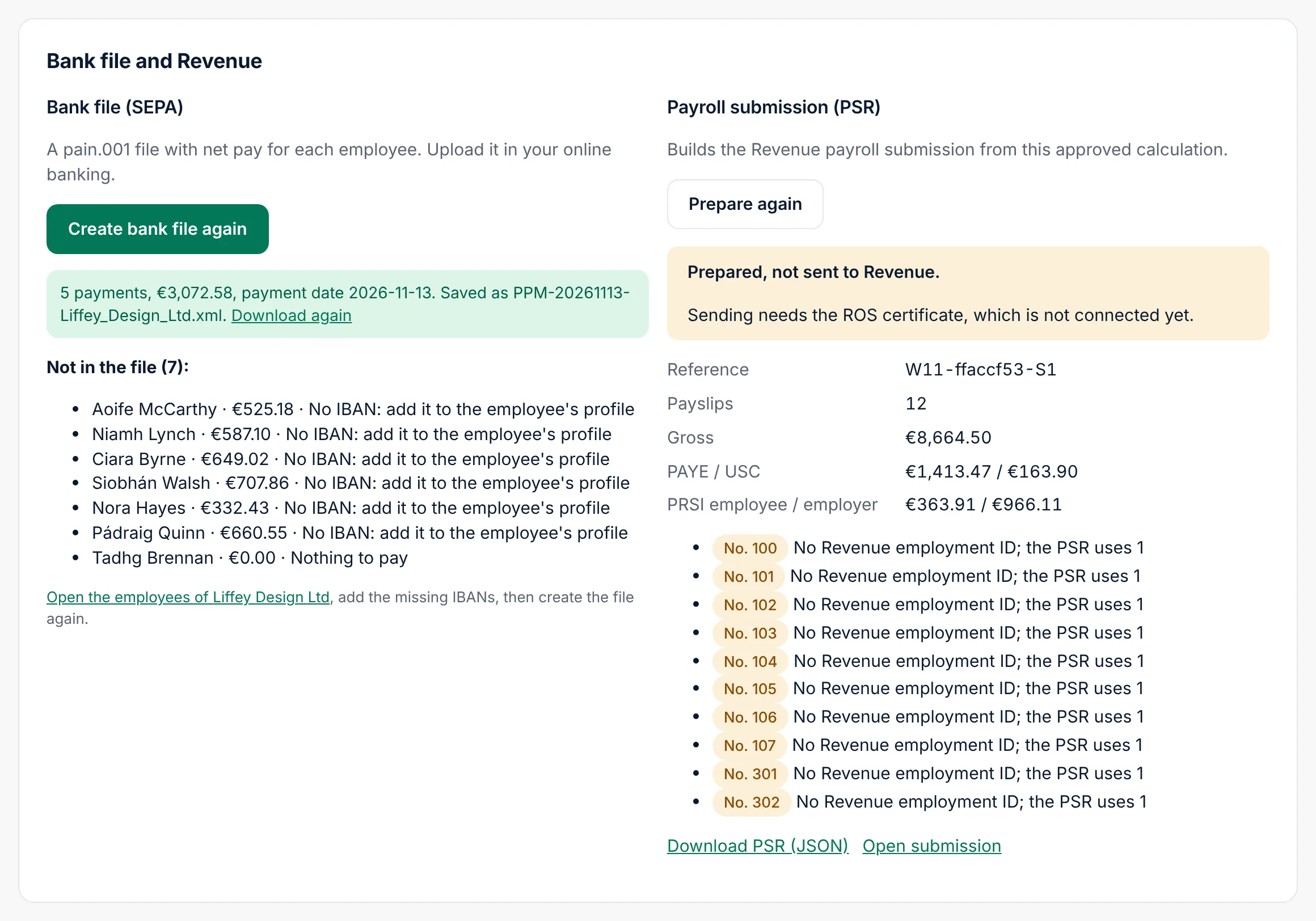
Cloud shows how many payments the file holds, the total and the payment date, the file name, and Download again. The Bank file status becomes File ready.
- Log in to the client's online banking and upload the file as a bulk or SEPA payment. Check the total and the number of payments there before you authorise it.
People not in the file
Under the result, Not in the file lists anyone who was left out and why:
- No IBAN: add it to the employee's profile.
- IBAN is not valid: correct it in the profile.
- Nothing to pay: net pay is zero.
Add the missing IBANs, then choose Create bank file again. Pay anyone still missing another way.
If it does not work
| Message | What to do |
|---|---|
| Approve the payroll first | The bank file needs an approved payroll. |
| Add the employer's bank account | Enter the bank account for wages in the client's settings. |
| The employer's bank account is not valid | Check the IBAN and BIC in the client's settings. |
| Nobody in this payroll has both an IBAN and pay | Add IBANs to the employees first. |
| This payroll was calculated with an older version | Revoke the approval, recalculate and approve again. |