

Import employees from a CSV file
When a client moves to you from other payroll software, export the employees there as a CSV file and import it here. Cloud recognises most layouts, checks every row and shows you the result before anything is saved. Existing employees are updated, not added twice.
Before you start
- Save the file as CSV (in Excel: CSV UTF-8). Commas, semicolons or tabs all work, as do Irish and European number formats (
1,234.50or1.234,50). - Up to 5 MB and 2,000 rows per file.
- A row needs at least a payroll number and a name (full name, or first and last name). New employees also need a PPSN and a pay frequency.
- Not sure what columns to use? On the first step, choose Download a template with all columns.
Step 1: File
Open the client, choose Employees, then Import from CSV.
Under CSV file, choose the file.
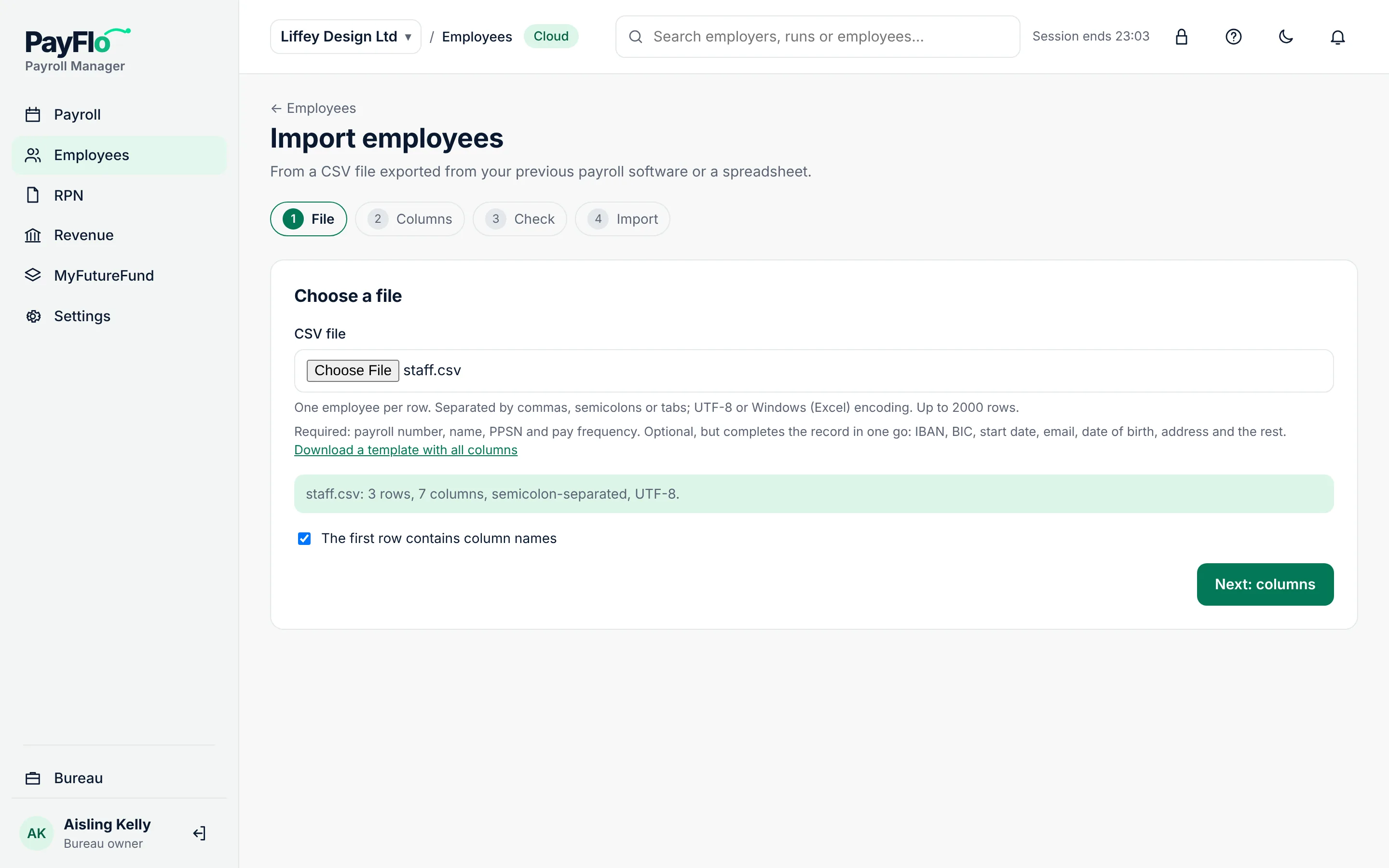
Check the line under the file: the number of rows and columns, the separator and the encoding. If the first row has column names, leave The first row contains column names ticked.
Choose Next: columns.
Step 2: Columns
Cloud matches columns by their names (for example "PPS Number" → PPSN, "Surname" → Last name).
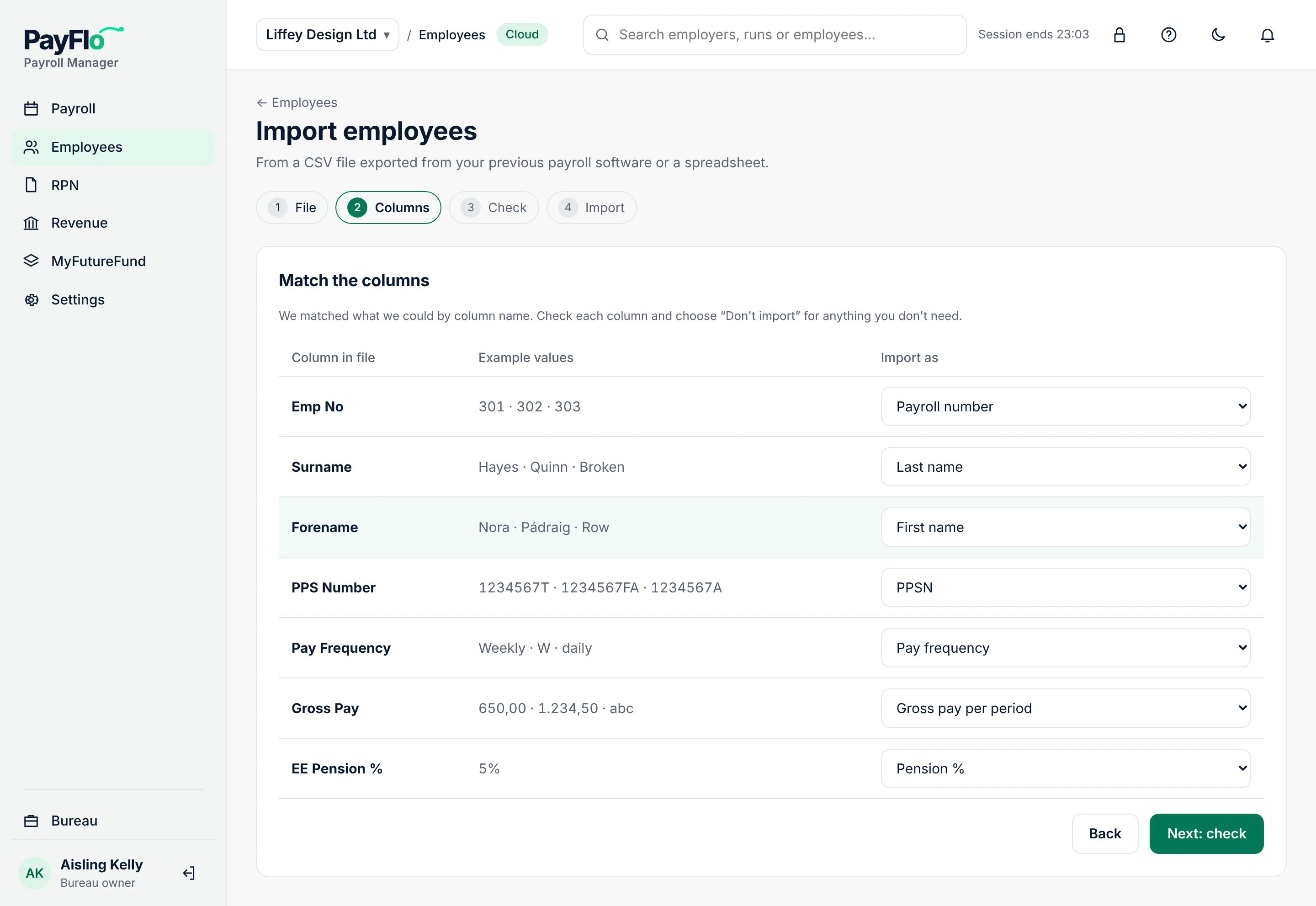
- Check each line: Column in file, Example values and Import as.
- Change Import as where the guess is wrong. Choose Don't import for columns you don't need.
- If the file has no pay frequency column, choose a Pay frequency for new employees.
- Choose Next: check.
Step 3: Check
Cloud checks every row and shows how many are new, to update, unchanged and with errors.
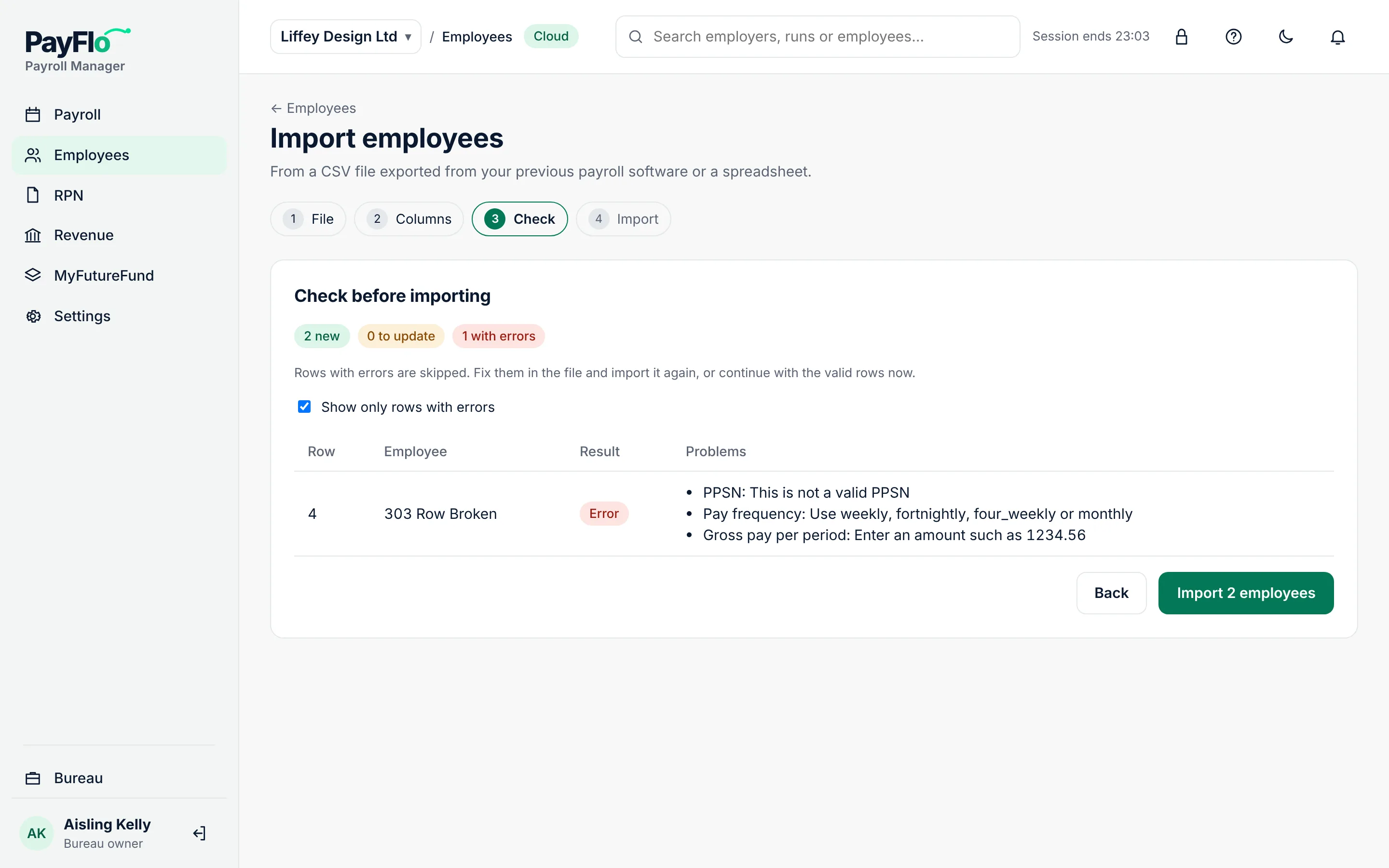
- Rows with errors are skipped. Problems says exactly what is wrong, for example "This is not a valid PPSN".
- Fix them in the file and import it again, or continue with the valid rows now.
- Show only rows with errors hides the rows that are fine.
Choose Import N employees.
Step 4: Done
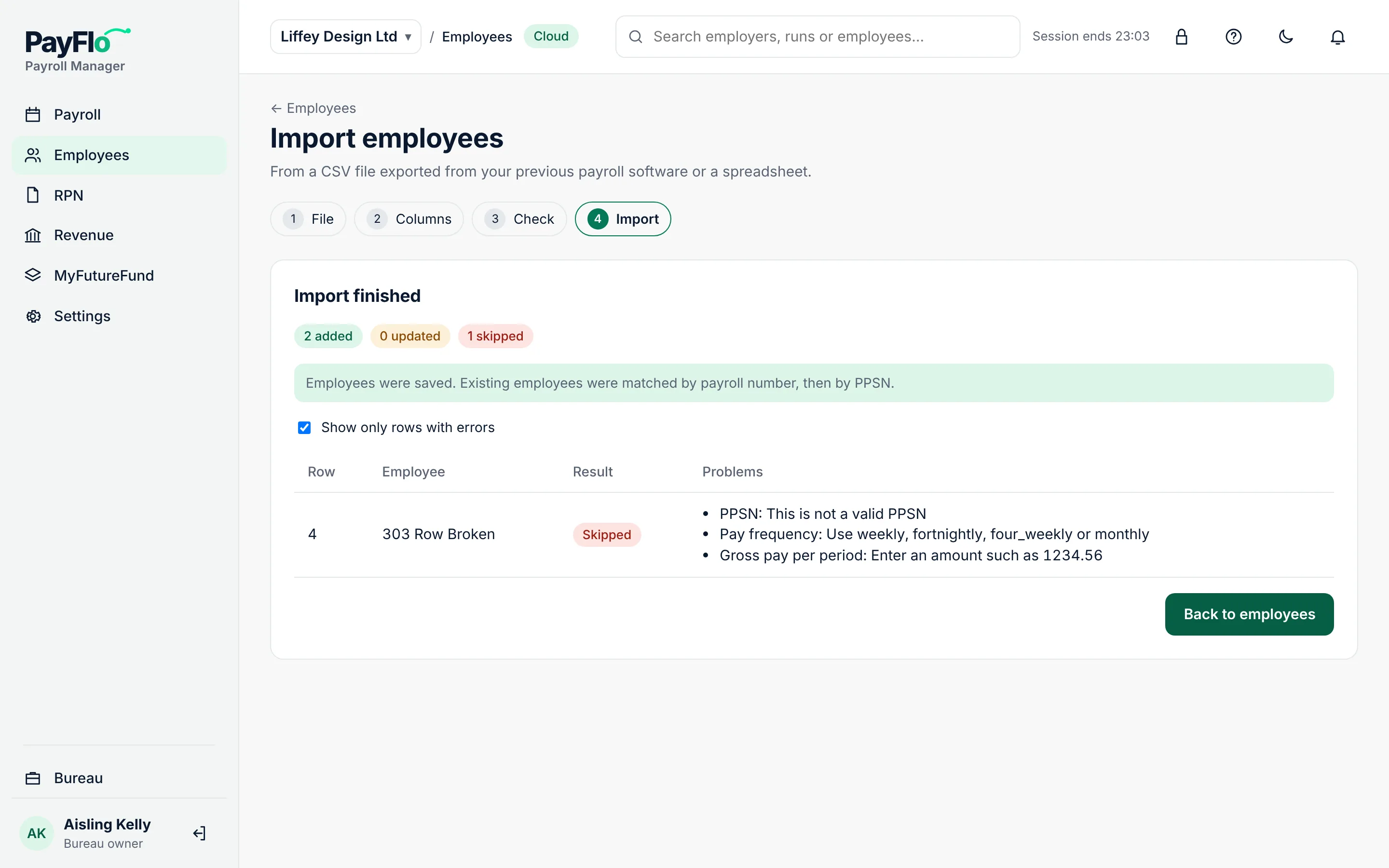
Cloud shows what was added, updated and skipped. Existing employees are matched by payroll number, then by PPSN. Choose Back to employees.
Related
- Employees
- RPNs from Revenue
- Export and import data: moving a whole client between Cloud and Desktop