

Payslips and journal
As soon as a payroll is calculated you can download its payslips and the payroll journal. Check them before approval; give them to employees after approval.
Download payslips
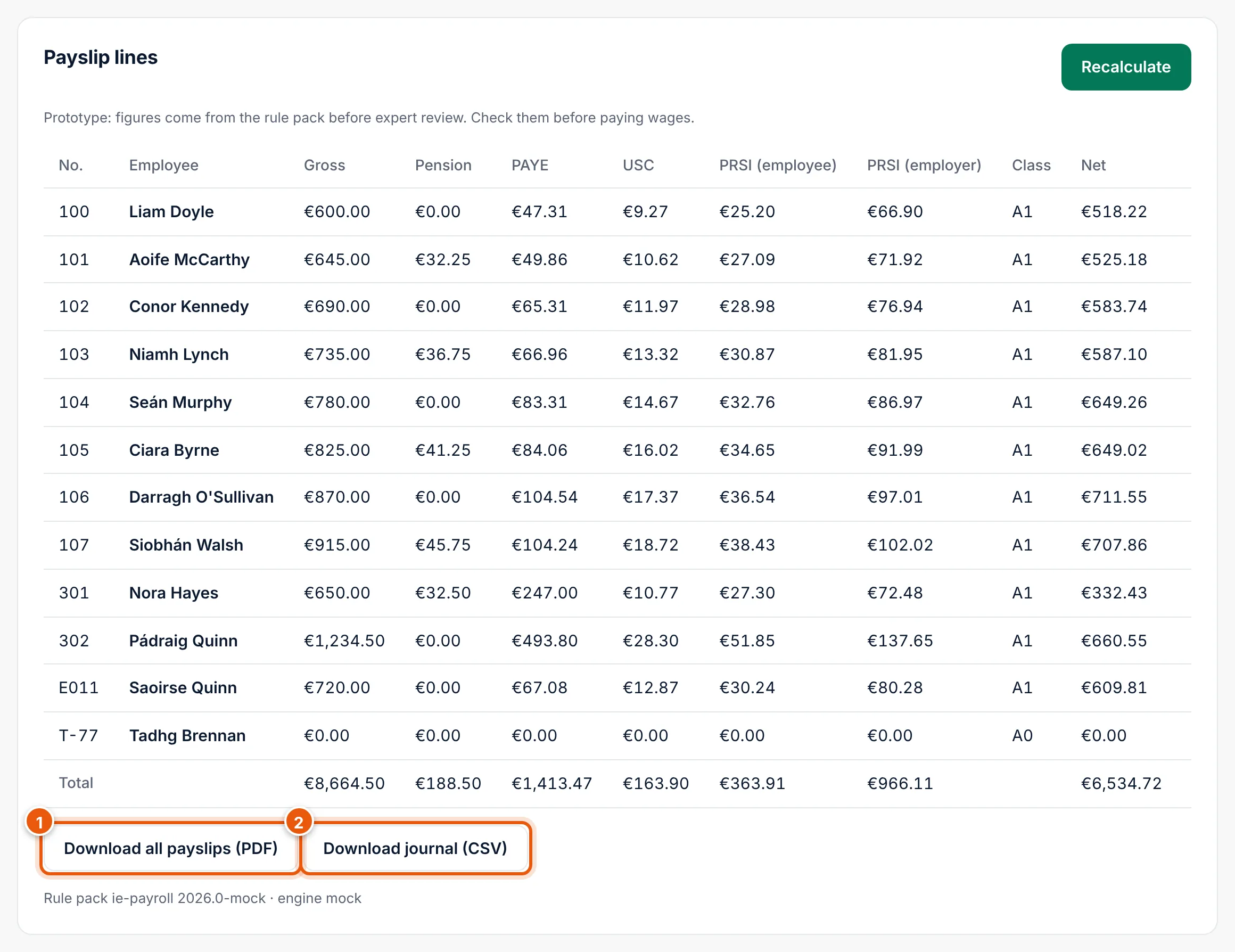
In the payroll run, under Payslip lines:
- Download all payslips (PDF) (1): one PDF with a payslip for each employee, named
payslips-….pdf. - PDF at the end of an employee's line: that employee's payslip only.
A payslip shows the employer, the employee, the pay period and pay date, gross pay, the deductions (PAYE, USC, PRSI, pension and MyFutureFund) and net pay.
Download the payroll journal
Download journal (CSV) (2) downloads payroll-journal-….csv: one line per employee with every amount, and a Total line at the end. Use it for the client's accounts or to check figures in Excel.
Payslips for employees
The Payslips status of the run shows Draft, Ready to publish or Published. Today you give employees their payslip yourself or through the client. Sending payslips to employees online comes later.