

Reports
The Reports page lists everything finalised for the selected employer, from the stored results.
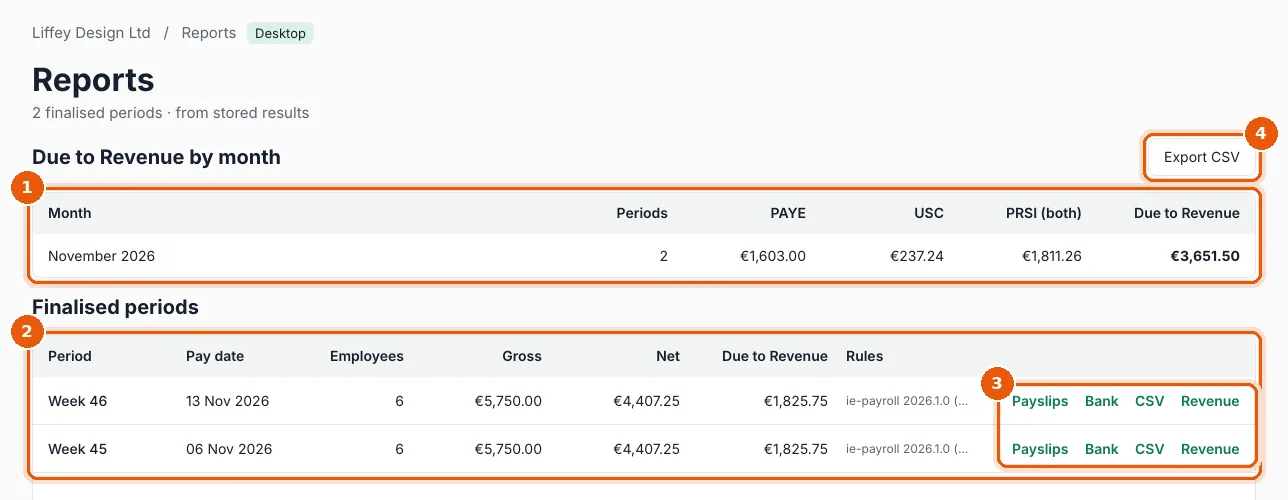
- Due to Revenue by month: periods, PAYE, USC, PRSI (employee and employer) and the total Due to Revenue for each month. Use it to check the monthly ROS statement.
- Finalised periods: each finalised period with its pay date, employees, gross, net, due to Revenue and the tax rules it was calculated with.
- On each period's row:
- Export CSV: the monthly totals as a spreadsheet file.
Files are saved in Documents → Payroll Manager Reports → employer, and the folder opens.
If you see Nothing finalised yet, review and finalise a period on the Payroll page first.