

Leavers and final pay
When an employee leaves, enter their leaving date. Payroll Manager pays out their untaken annual leave in the final pay (OWTA s.23), puts the leaving date on the payslip, and reports it to Revenue and MyFutureFund with the period.
Record the leaving date
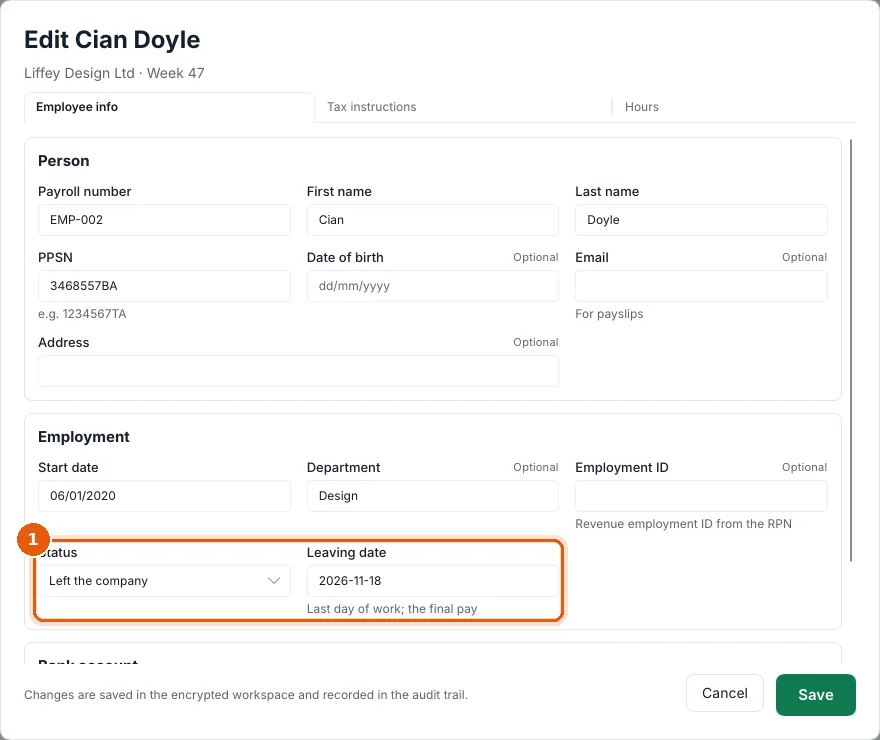
- Open the employee's Employee settings.
- On Employee info, under Employment, set Status to Left the company and enter the Leaving date, the last day of work (1).
- Choose Save.
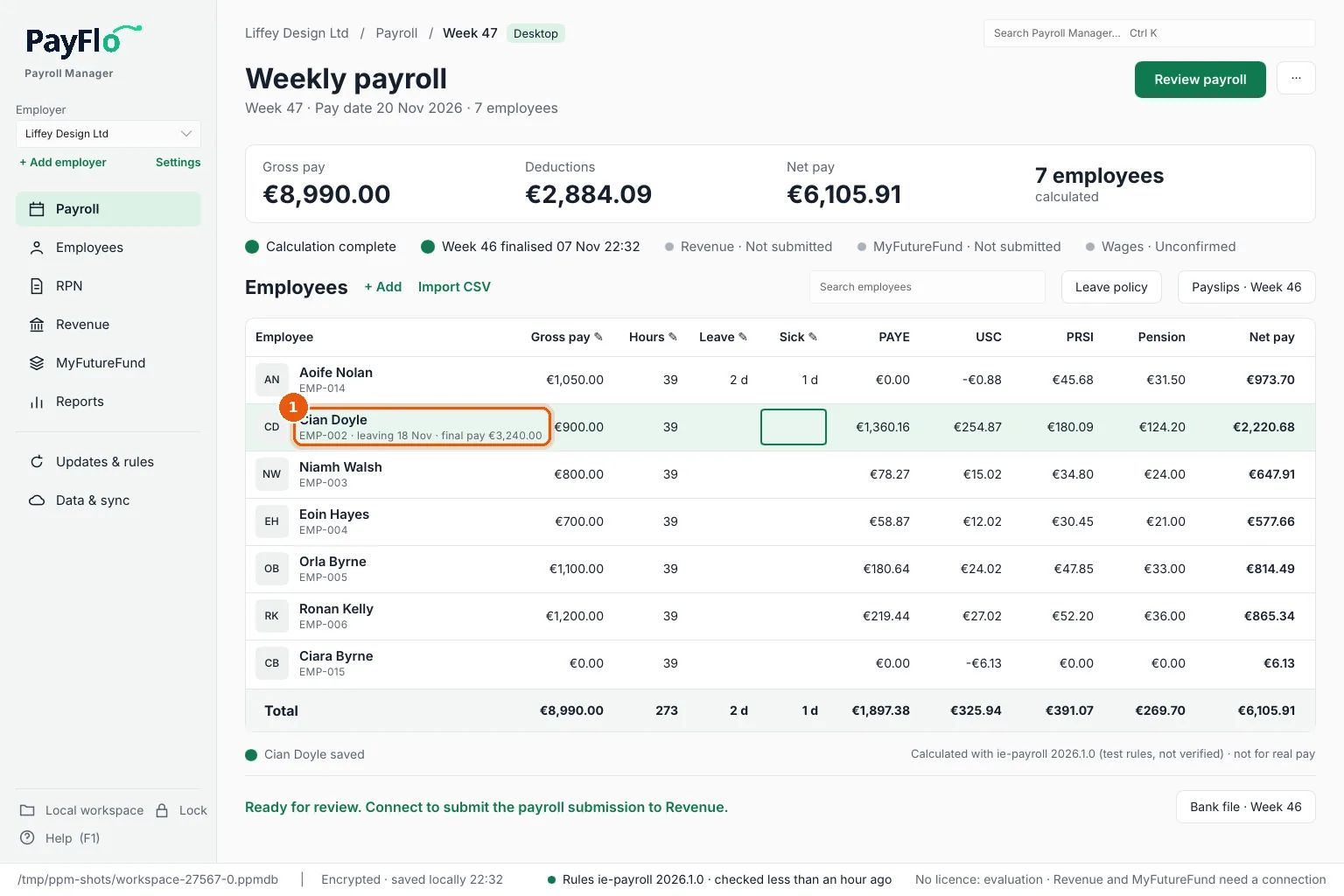
The employee's row on the payroll now shows leaving 18 Nov · final pay €3,240.00 (1): their pay plus the untaken annual leave.
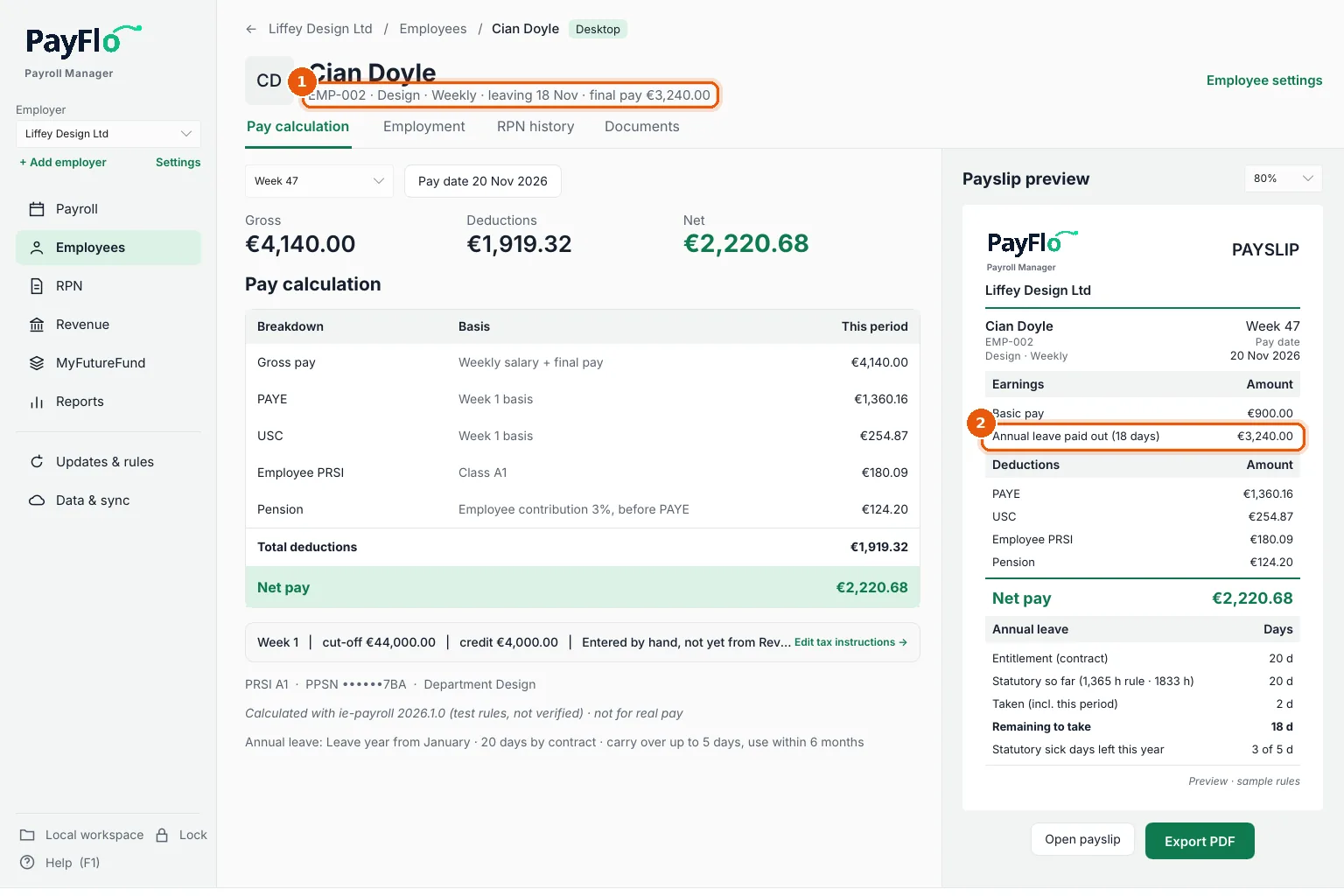
Check the final pay
On the employee page, the header says leaving … · final pay … (1), and the payslip shows Annual leave paid out (18 days) (2), worked out at the normal rate.
Then review and finalise as usual.
What happens next
- Revenue: the payroll submission for the period carries the leaving date. There is no P45 any more. See Revenue.
- MyFutureFund: the contribution file carries the exit date, which is how NAERSA learns they have left. See MyFutureFund.