

Licence
One licence covers Payroll Manager Cloud and Payroll Manager Desktop. It is valid for a year, for one employer or for a bureau's number of employers (packs of 5, 20 or 50, or unlimited).
Enter the licence key
Enter the key in the setup wizard, or later on Updates & rules under Licence: type the key (PPM-XXXXX-XXXXX-XXXXX-XXXXX) and choose Save and check.
Without a key Payroll Manager runs as an evaluation (No licence: evaluation in the status bar).
How the licence is checked
Payroll Manager confirms the licence online once a day when it can. It works offline too, but it must confirm the licence online at least every 30 days; it reminds you in the last 7 days. The status bar shows the licence state, for example Licensed until 3 Sep 2027.
When the licence lapses
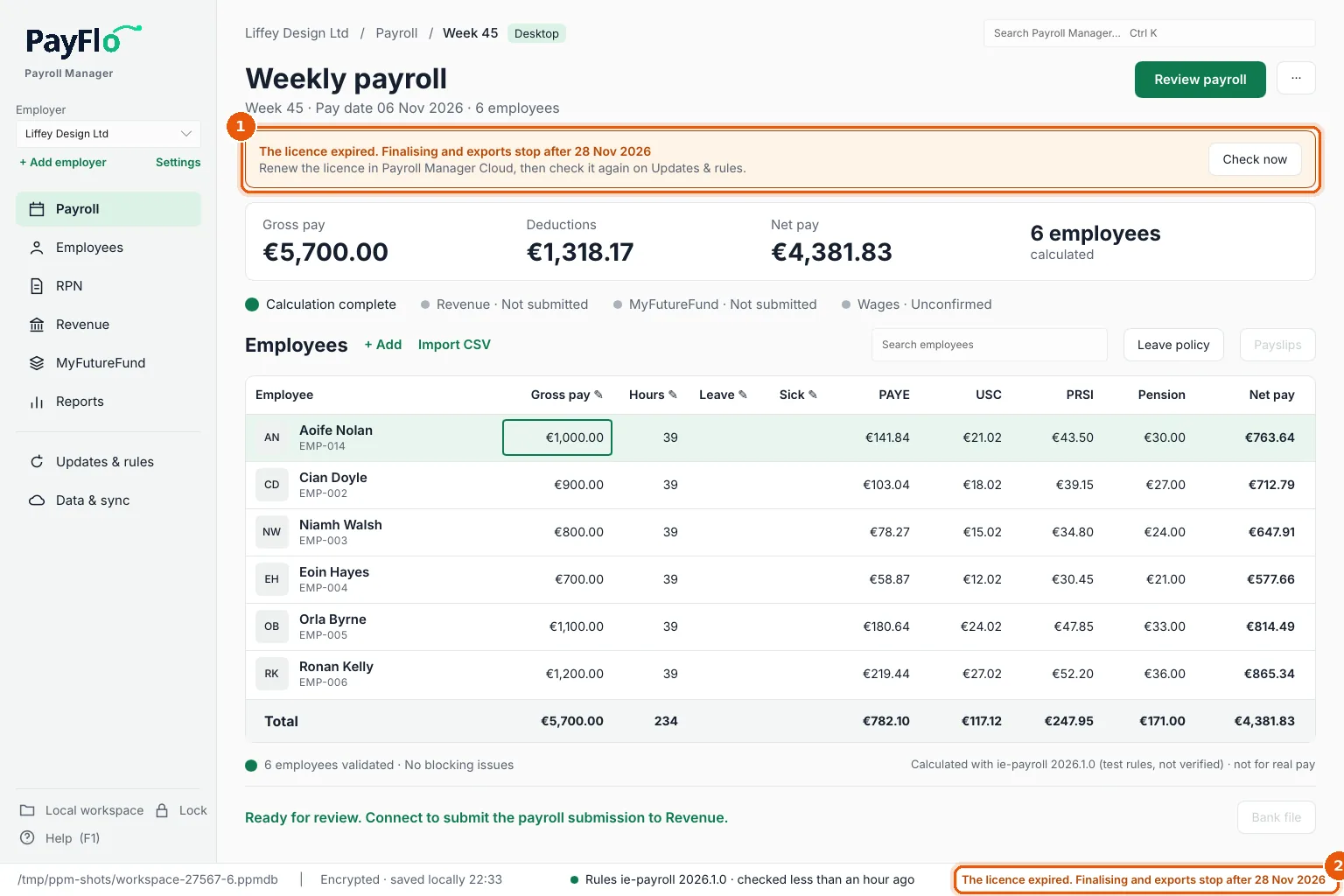
When the licence expires, or you have more employers than it covers, Payroll Manager warns you and keeps working for a grace period (1). The status bar says when finalising and exports will stop (2).
After the grace period, Payroll Manager is read-only (1): you can see and edit everything, but Review payroll (2), finalising, payslips, bank files and submissions are off (3) until the licence is renewed. Your data is never deleted or locked away.
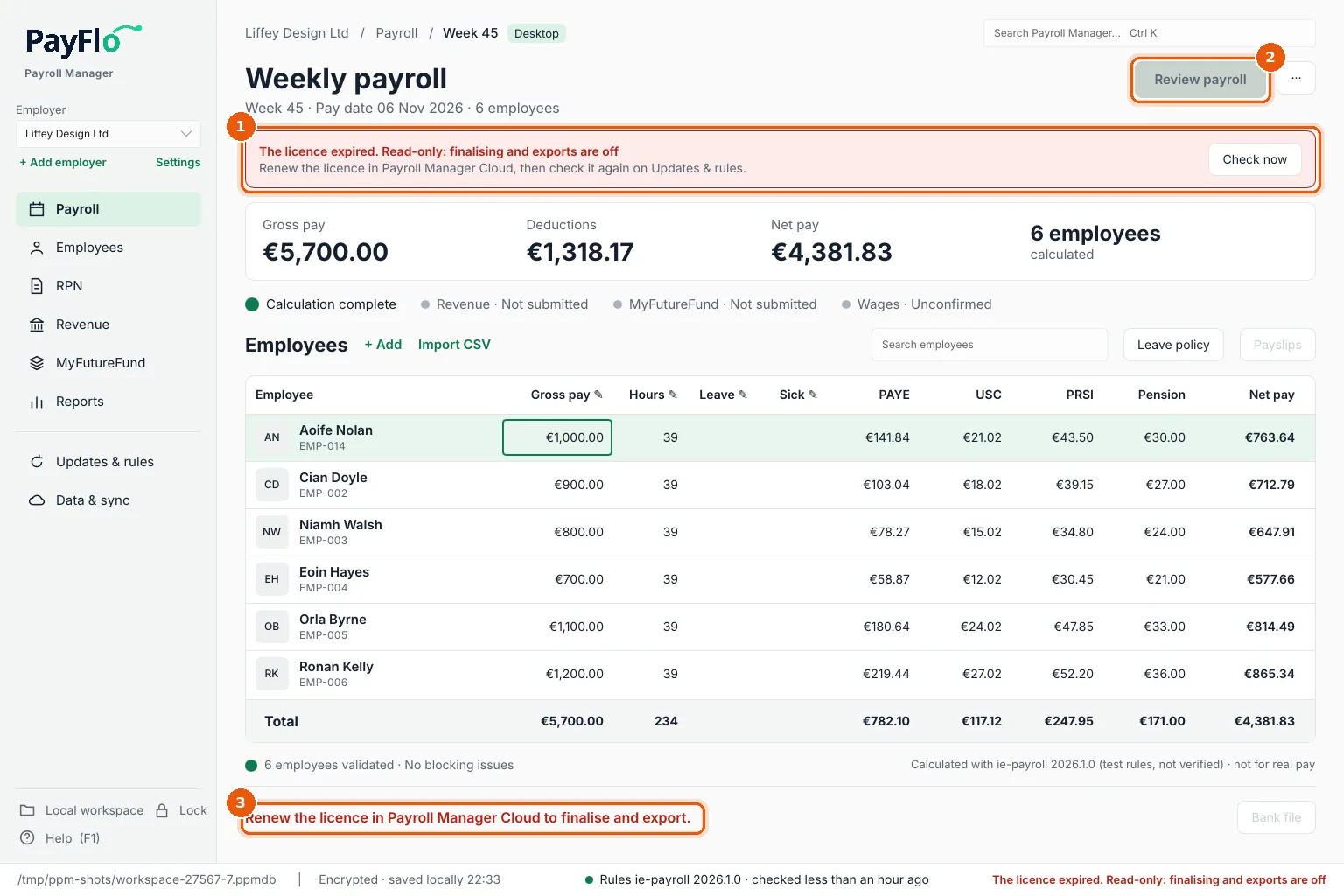
A licence that was revoked or suspended becomes read-only at once, with no grace period, and so does one not confirmed online within 30 days.
Renew
Renew the licence in Payroll Manager Cloud, then choose Check now in the banner or on Updates & rules. Payroll Manager works normally again straight away.