

Add and edit employees
The employee form has three tabs, the same in Payroll Manager Desktop and Payroll Manager Cloud: Employee info, Tax instructions and Hours. Only the fields Revenue needs are required; the others say Optional.
- Add an employee: choose + Add next to Employees on the Payroll page, or + Add employee on the RPN page.
- Edit an employee: choose Employee settings on the employee page.
Employee info
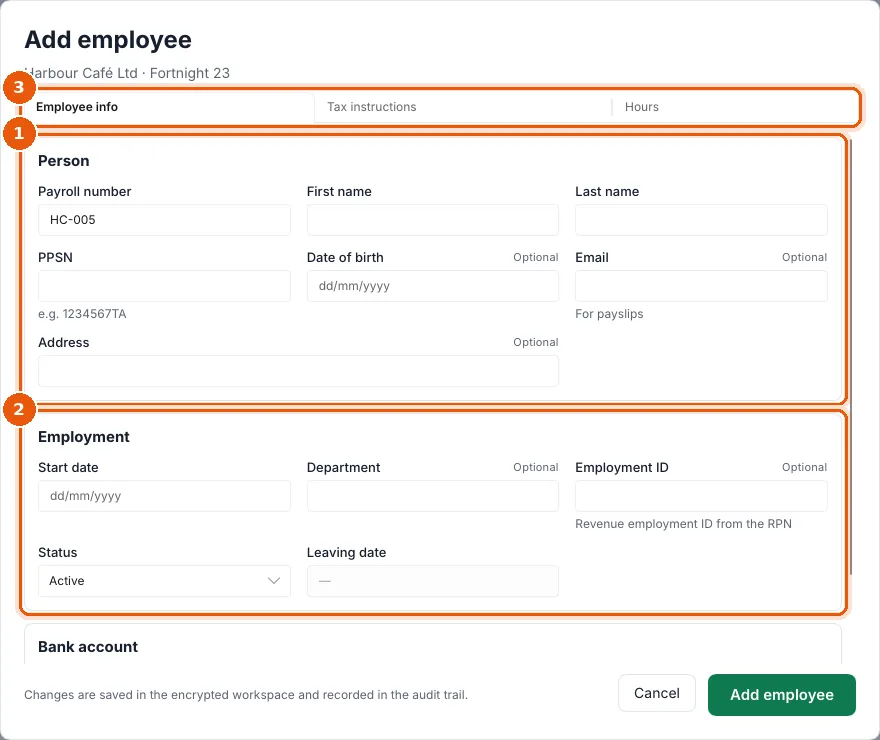
- Person: Payroll number (suggested for you), First name, Last name, PPSN (e.g.
1234567TA, checked against its check letter), Date of birth, Email (for payslips) and Address. - Employment: Start date, Department, Employment ID (the Revenue employment ID; an RPN import fills it in), Status and Leaving date (see Leavers). Scroll down for Bank account: the IBAN for net pay. The BIC is worked out from an Irish IBAN.
- The three tabs. A tab with a mistake shows ! after its name, and the field says what is wrong.
Dates are always dd/mm/yyyy.
Tax instructions
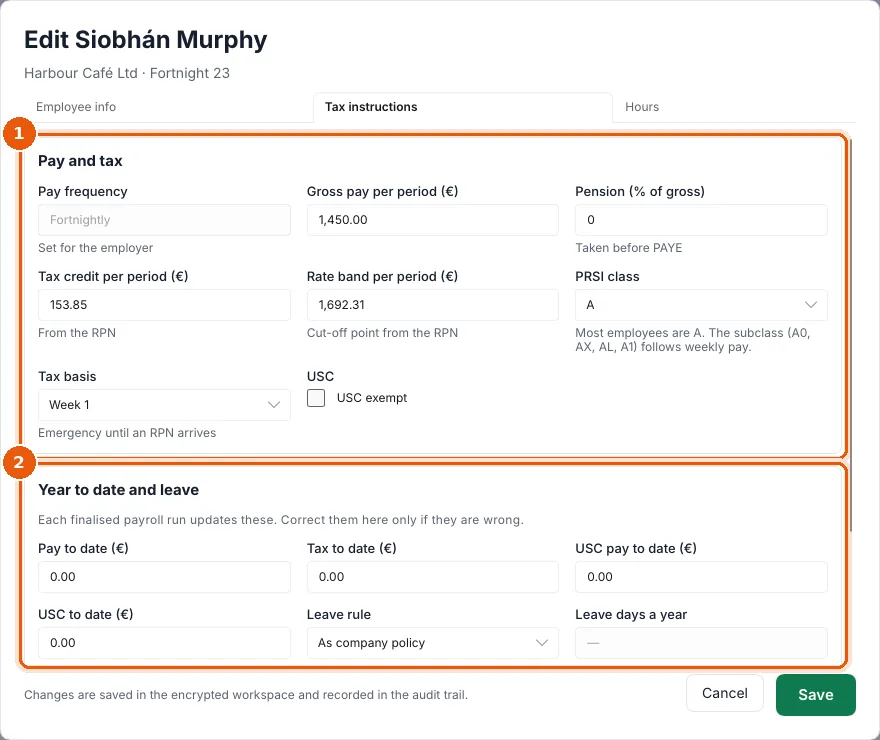
- Pay and tax
- Pay frequency is set for the employer.
- Gross pay per period (€): the usual pay. Overtime, bonus and absence for one period go in the payroll grid.
- Pension (% of gross), taken before PAYE.
- Tax credit per period (€) and Rate band per period (€) (the cut-off point), from the RPN. They are shown per period; if you do not touch them, the exact yearly values from the RPN are kept.
- PRSI class: most employees are A. The subclass (A0, AX, AL, A1) follows weekly pay automatically.
- Tax basis: Cumulative, Week 1 or Emergency. A new employee is on Emergency until an RPN arrives.
- USC exempt.
- Year to date and leave: Pay to date, Tax to date, USC pay to date, USC to date. Each finalised run updates them; correct them only if they are wrong, or for someone paid earlier this tax year in another payroll. Below: Leave rule (As company policy, Statutory (auto) or From the contract), Leave days a year, Leave taken this year (days) and Carried over (days).
Change tax instructions by hand only when you have no RPN. An imported RPN replaces them.
Hours
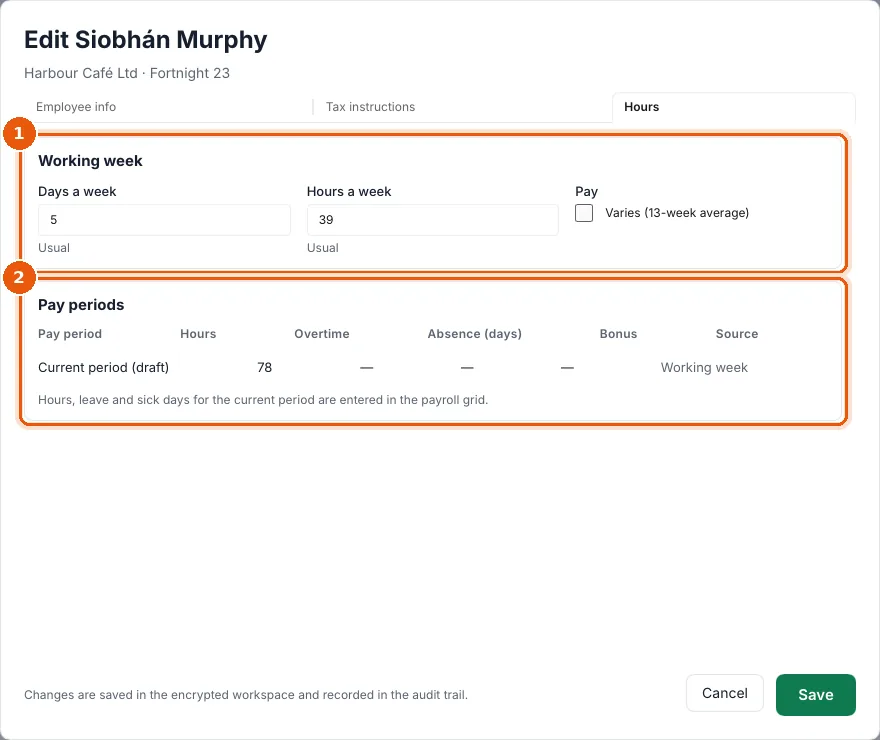
- Working week: Days a week and Hours a week, used for annual leave and sick pay. Tick Varies (13-week average) for someone whose hours change from week to week.
- Pay periods: hours, overtime, absence and bonus for each period. Hours, leave and sick days for the current period are entered in the payroll grid.
Choose Save (or Add employee). Changes are saved in the encrypted workspace and recorded in the audit trail. Finalised periods never change.