

MyFutureFund (auto-enrolment)
MyFutureFund is the State auto-enrolment pension. NAERSA, the authority that runs it, decides who is enrolled and at what rate, and tells you in the AEPN (auto-enrolment payroll notification). The employee's share is taken from net pay, the employer pays the same, and the State adds a third.
You never decide who is enrolled: Payroll Manager follows the AEPN. There is no "enrolled" tick box on purpose.
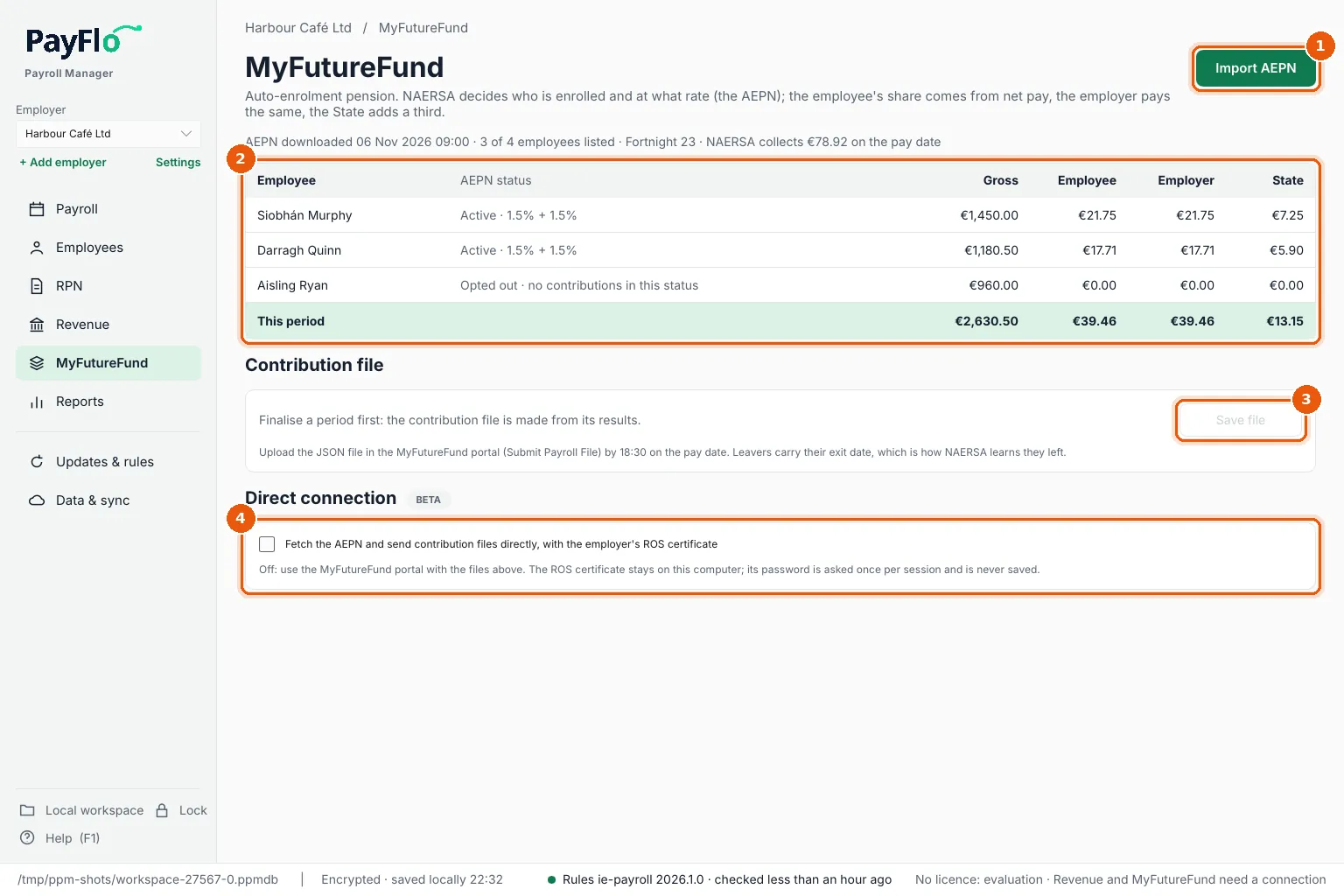
- Import AEPN: bring in the latest AEPN.
- The employees in the AEPN with their status (for example Active · 1.5% + 1.5% or Opted out) and this period's Employee, Employer and State contributions. The line above says when the AEPN was downloaded and how much NAERSA collects on the pay date.
- Contribution file: after finalising, Save file makes the file to upload in the MyFutureFund portal.
- Direct connection (beta): fetch the AEPN and send files directly with the employer's ROS certificate.
Before each pay run: import the AEPN
- Download the AEPN from the MyFutureFund portal (JSON) just before you finalise.
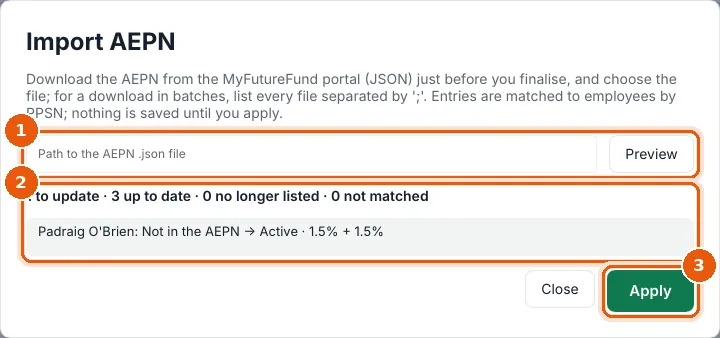
- Choose Import AEPN, enter the path to the file (1) and choose Preview. A download in batches can be several files: list them all, separated by
;. - Check the summary and the changes (2), for example Padraig O'Brien: Not in the AEPN → Active · 1.5% + 1.5%. Entries are matched to employees by PPSN.
- Choose Apply (3). Nothing is saved until you do.
After finalising: the contribution file
- Finalise the period.
- On MyFutureFund, choose Save file under Contribution file.
- Upload the JSON file in the MyFutureFund portal (Submit Payroll File) by 18:30 on the pay date.
Leavers carry their exit date in the file: that is how NAERSA learns they have left.
Direct connection (beta)
With direct connection, Payroll Manager fetches the AEPN and sends contribution files itself, signed with the employer's ROS certificate.
- Tick Fetch the AEPN and send contribution files directly, with the employer's ROS certificate.
- Send to (1): Test (NAERSA test system) first. Files sent there do not count. Switch to Live (MyFutureFund) once a test file is accepted. Agent TAIN is needed only when a bureau sends for its client.
- ROS certificate (2): enter the path to the employer's
.p12certificate and choose Load, then enter the Certificate password. The certificate stays on this computer; the password is asked once per session and never saved. - Use Fetch AEPN, Send contribution file and Check status (3). Each file sent gets a new submission number.
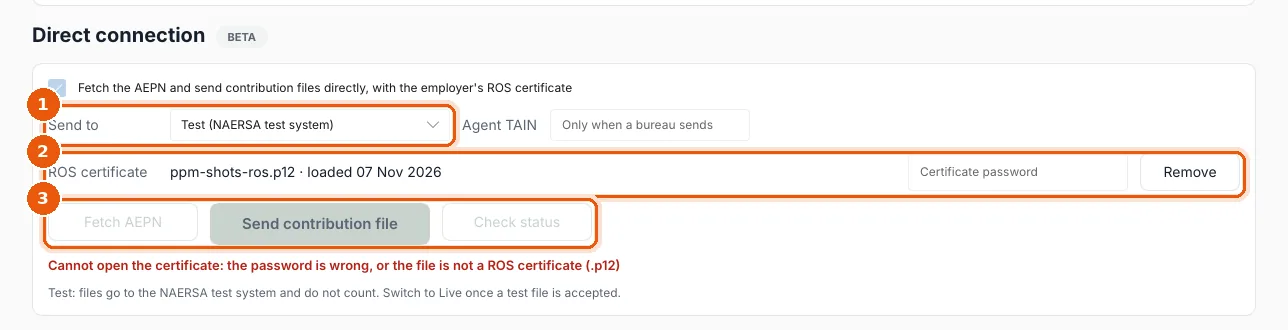
If you see Cannot open the certificate: the password is wrong, or the file is not a ROS certificate (.p12), enter the password again,
or check that you chose the employer's ROS certificate file (.p12).