

People and permissions
Each company has exactly one employer admin. Your payroll bureau decides who it is and is the only one who can change it. The admin uses People to invite colleagues and choose what each of them can do.
You see People only if you are the employer admin.
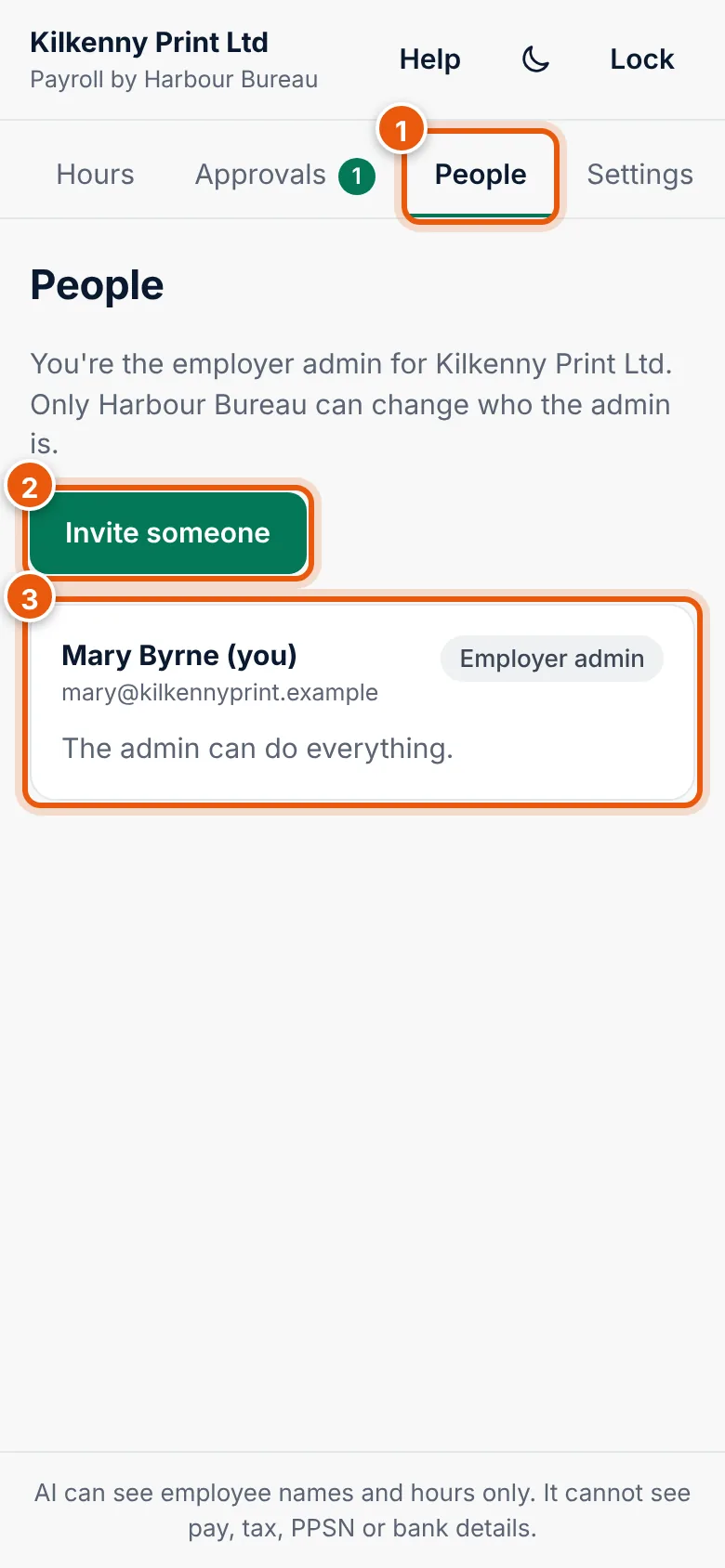
Permissions
| Permission | Lets the person |
|---|---|
| Submit hours | Photograph or upload timesheets and send hours. Also lets them see the pay periods. |
| Approve payroll | Approve pay runs when the bureau asks. See Approve payroll. |
| View hours | See pay periods and what was sent, without sending anything. |
| Export data | Download your company's data. See Settings. |
The employer admin has all permissions. Only the admin sees People. A person needs at least one permission.
Invite someone
- On People, choose Invite someone.
- Enter the person's Name (1) and Email (2).
- Under What they can do (3), tick their permissions.
- Choose Create invitation (4).
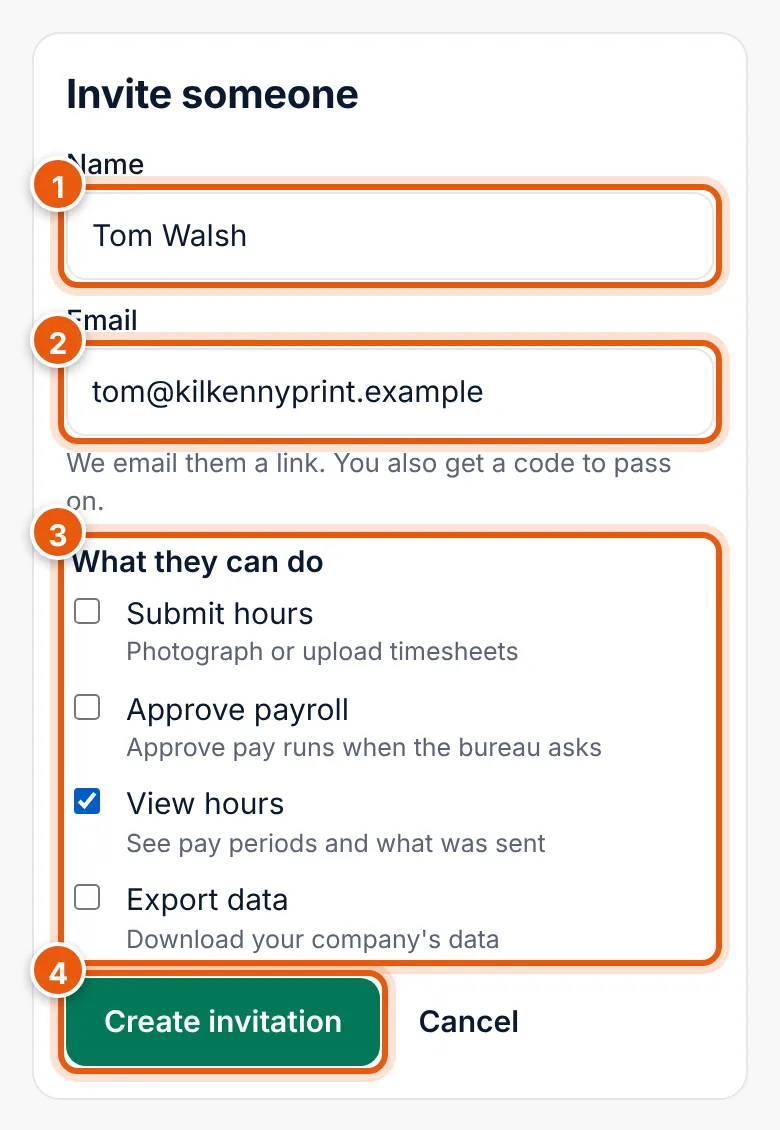
The app emails them a link and shows you the code (1) and the link, so you can also pass it on by text message or in person.
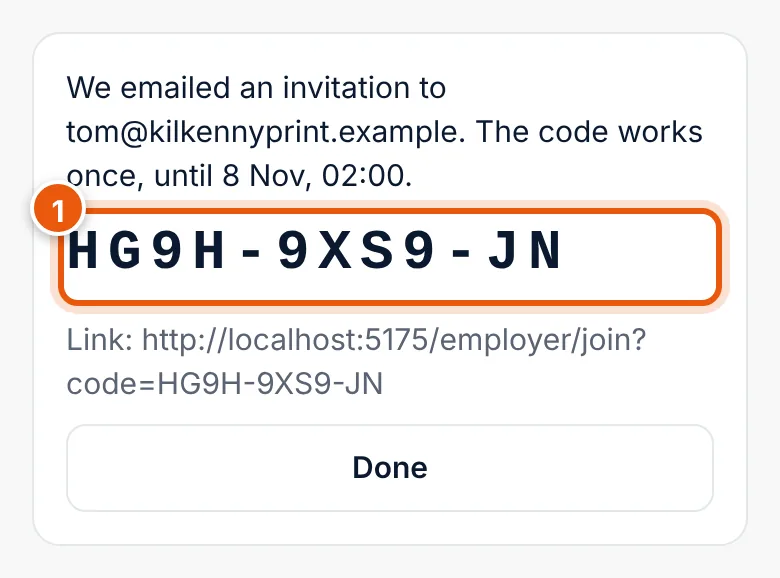
The code works once, until the time shown (4 hours). Choose Done.
The person appears under Waiting to join with Invited until they join. To withdraw it, choose Cancel invitation.
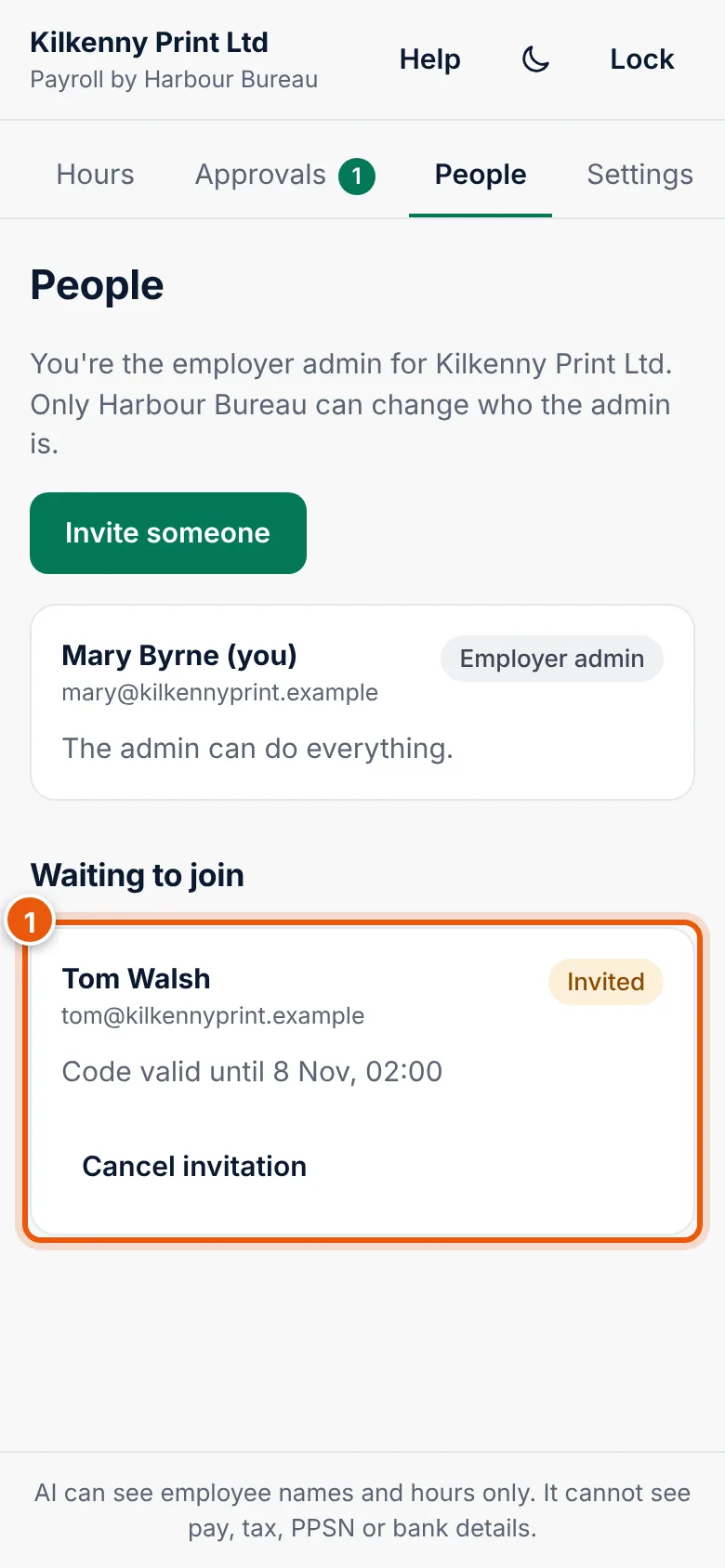
If the code expires before they use it, cancel it and invite them again.
Change what someone can do
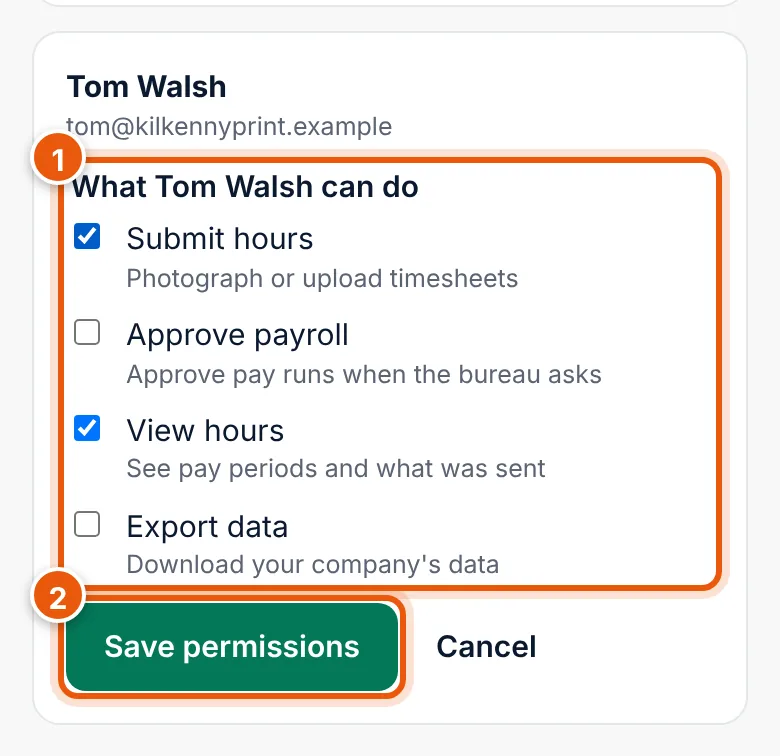
- On People, find the person and choose Change permissions.
- Tick or untick the permissions (1).
- Choose Save permissions (2). The change applies straight away.
Remove someone
- On People, find the person and choose Remove.
- Confirm. They lose access straight away.
Hours they sent stay with the pay period.
Change the employer admin
Only your bureau can do this. Ask them. If the admin leaves the company (or chooses Leave bureau), the company has no admin until the bureau names a new one. Hours can still be sent by users with Submit hours.