

Join the Employer app
You join the Employer app with an invitation. The employer admin of your company gets an invitation from your payroll bureau. Everyone else gets one from the employer admin.
An invitation has a code (for example LH5M-72E7-7M) and a link. The code works once and is valid for 4 hours.
Before you start
- Have your phone and the invitation email, or the code someone gave you.
- Use the phone you will send timesheets from. The PIN you set works on that phone.
Join with the link
- Open the invitation email and choose the link. The app opens with your code already filled in.
- Continue from step 4 below.
Join with the code
On your phone, go to employer.payflo.ie.
Choose I have an invitation code.
Enter the code in Invitation code (1) and choose Continue (2). Spaces and dashes do not matter. The app takes you to your bureau's own address.
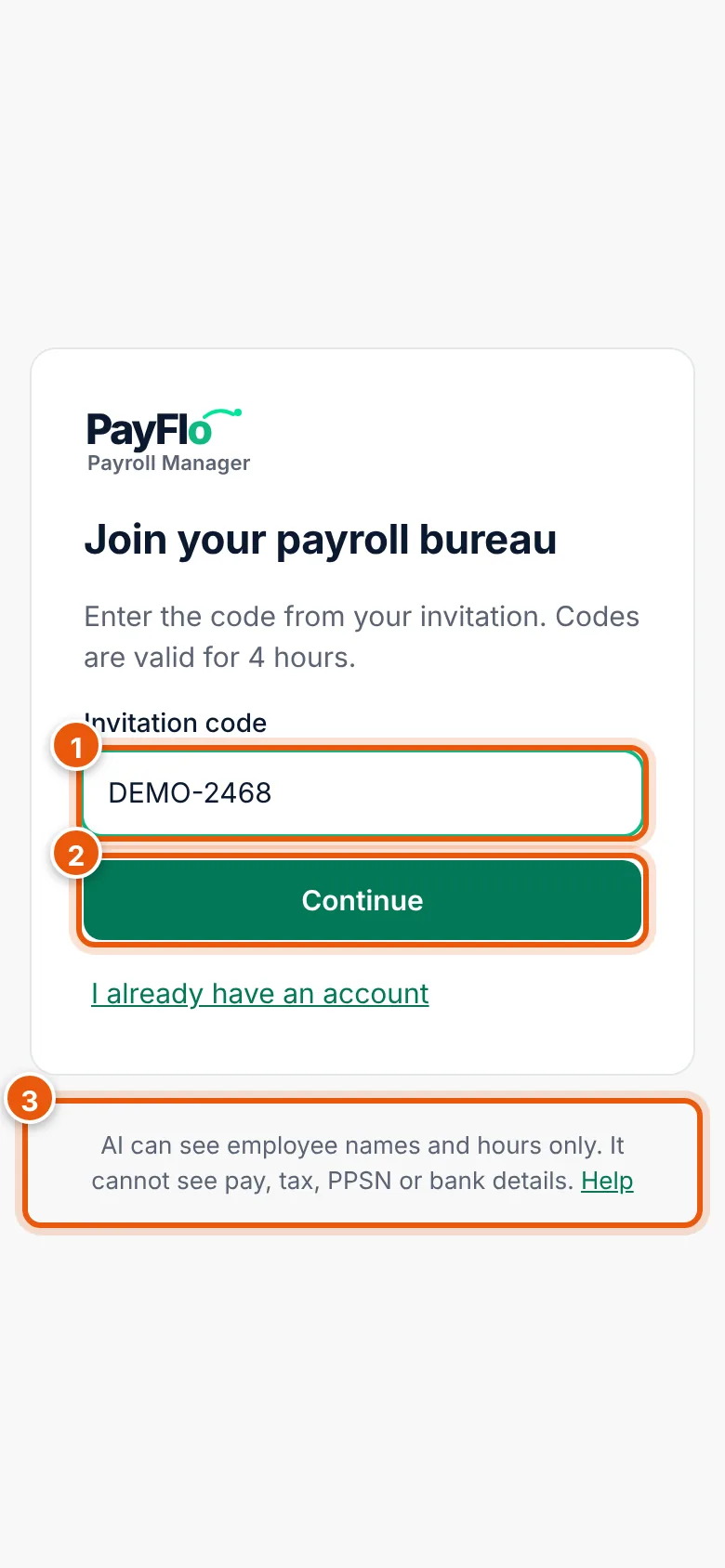
Invitation code (1), Continue (2). The line at the bottom (3) says what AI can see. Check your company, your name and your email (1). The text under the company name says whether you will be the employer admin or a user.
Enter a password in Choose a password (2). Use at least 12 characters.
Enter it again in Repeat the password (3).
Enter a PIN (optional) (4): 4 to 8 digits. You unlock the app with it, so you do not need your password every time.
Choose Join (5). The app opens on the Hours screen.
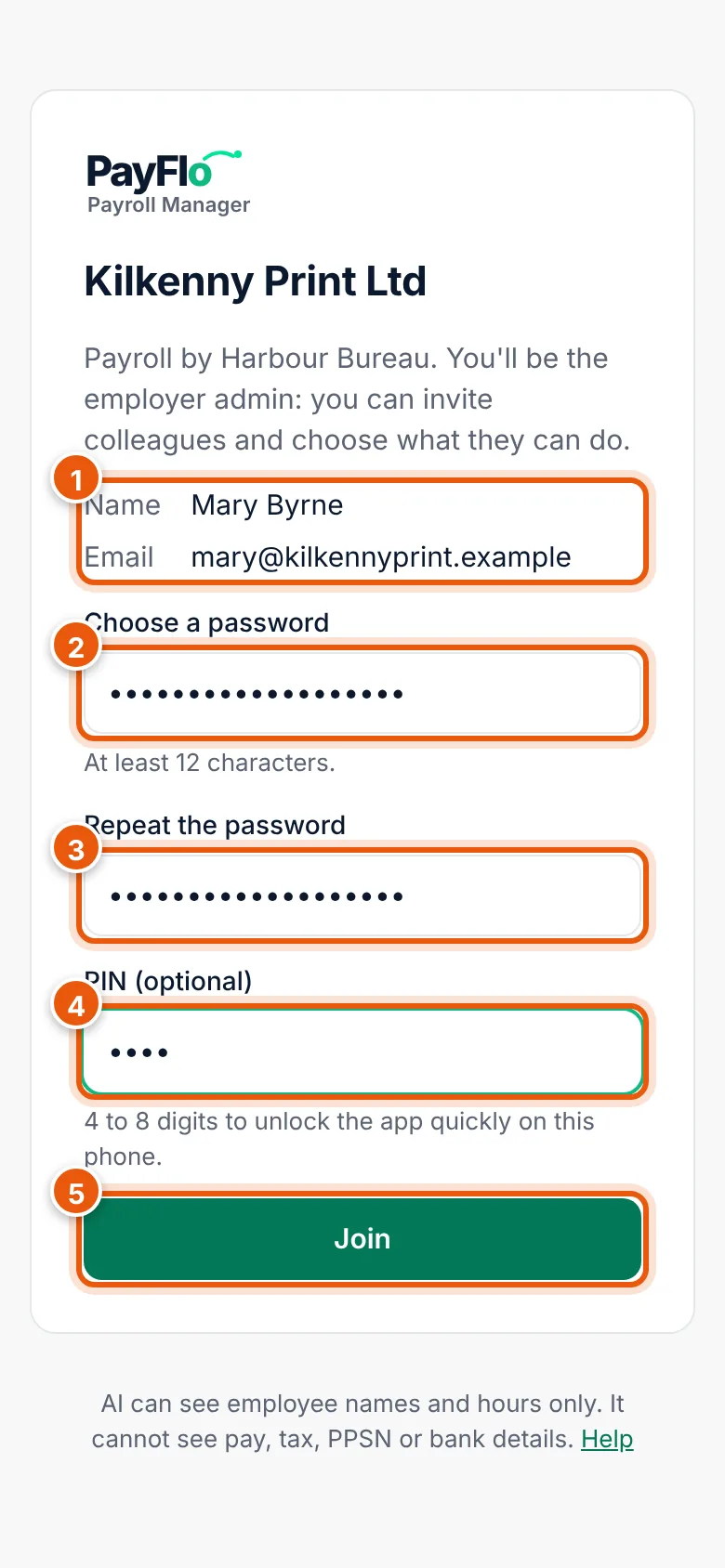
Your details (1), password (2, 3), PIN (4) and Join (5).
Add the app to your home screen
The app runs in the browser. Add it to your home screen so it opens full screen with one tap, like any other app.
- iPhone (Safari): choose the Share button, then Add to Home Screen, then Add.
- Android (Chrome): open the ⋮ menu, then Install app or Add to Home screen.
Open the app from the new icon from now on.
If the code does not work
| You see | What to do |
|---|---|
| This code is not valid or has expired. Ask for a new one. | The code is older than 4 hours, was already used, or has a typing mistake. Ask your bureau (employer admin) or your employer admin (users) for a new invitation. |
| The passwords don't match | Enter the same password in both fields. |
| Use at least 12 characters | Choose a longer password. |